Digital Art Tools for Photoshop Certificate



Why you should study with us
Digital Art Tools for Photoshop Certificate Course
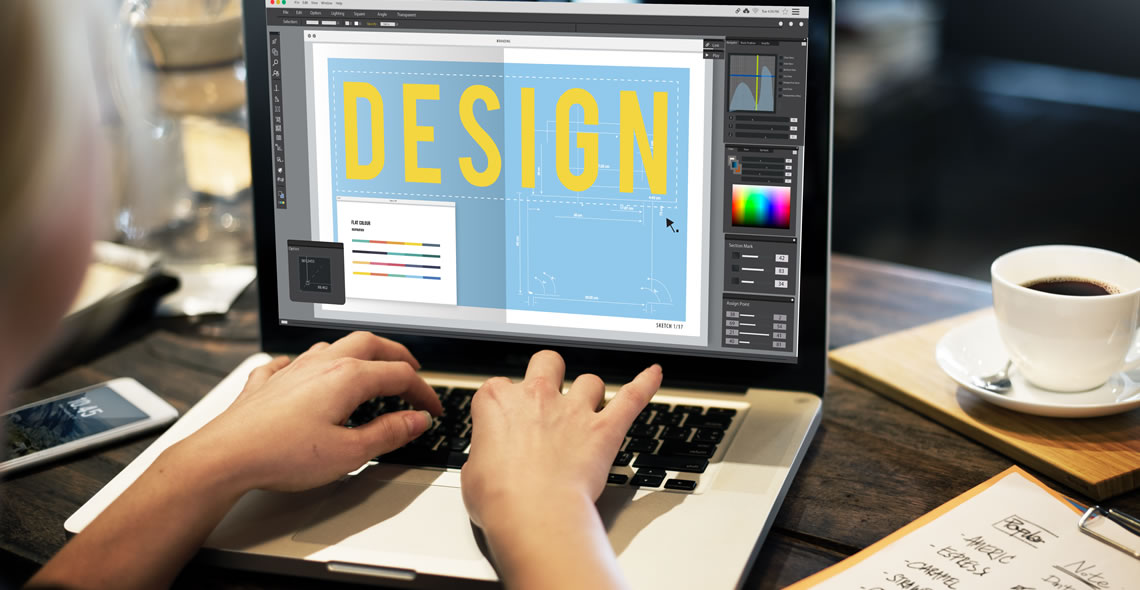
Ever wonder why a picture in a magazine looks flawless or how creative an advertising banner looks? While being a professional designer or photographer may have a lot to do with it, the potential to create amazing images is possible for anyone. The key is to learn how to use the right post-production software, such as Adobe Photoshop. The ability to create multi-layers with unique effects and designs allows the designer to add depth and dimension. It is important to understand what Photoshop is used for as it has multiple functions and can be a very useful tool in not just editing photos, but also creating pamphlets, banners, business cards and flyers.
This course will teach you about the benefits of such a program and also provides instructions on how to use it for both professional and personal needs. Throughout the course, you will see 21 different videos. Each video will take you on a step-by-step journey through the basic features of Photoshop. While there are several obvious features, such as the ‘Layers’ dialogue box, there are additional ways to use each tool to maximise the post effects of a photo.
In this course, you will learn:
- How to create a new file and adjust a canvas size that is suitable to project needs
- How to navigate through the software, where to find its tools and understand the layout of the page
- Learn how to identify Photoshop tools and understand their basic functionalities
- Learn how to identify the secondary tools, how to select them and what they are used for
- Learn shortcuts and understand how and when to use them
- How to use the layer option and understand the layer dialogue box
- Learn how to use and apply adjustment layers
- How to add effects and filter to an existing image
Course Benefits:
- You will learn the basic steps of using Photoshop and can begin to create a design
- How to become more efficient by using shortcuts and understanding the use of specific tools
- You will understand how to enhance an image and ways to crop the image to reuse for another project
- The importance of colours and how they can be adjusted and enhanced using the different colour options such as colour balance
- How to use brightness and contrast, exposure and hue and saturation to manipulate a photo
- How to use rulers to make creative designs such as pamphlets
- Design elements that enhance a creative project
This course includes
24/7 Student Support
End of course certification
Lifetime access to your course
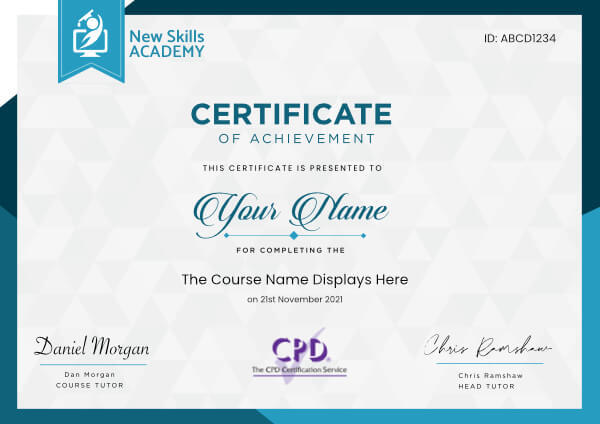
 ID: YDFT67YHJ
of achievement
This certificate is presented to
Your Name

For completing the
Digital Art Tools for Photoshop Certificate
on 21st November 2026
Selena Hurford
Selena Hurford
Course Tutor

Daniel Morgan
Daniel Morgan
Head of Academy
Anyone who has an interest in learning more about this subject matter is encouraged to take the course. There are no entry requirements to take the course.
The course is broken down into 21 individual modules. Each module takes between 20 and 90 minutes on average to study. Although you are free to spend as much or as little time as you feel necessary on each module, simply log in and out of the course at your convenience.
You can study the course any time you like. Simply log in and out of the web based course as often as you require. The course is compatible with all computers, tablet devices and smart phones so you can even study while on the move!
Once you have completed all 21 modules there is a multiple choice test. The questions will be on a range of topics found within the 21 modules. The test, like the course, is online and can be taken a time and location of your choosing.
The pass mark for the test is 70%.
If you don’t pass the test first time you will get further opportunities to take the test again after extra study. There are no limits to the number of times you can take the test. All test retakes are included within the price of the course.
You can either use your Visa, MasterCard, American Express, Solo cards or PayPal account to pay for the online course. Our site uses the latest SSL encryption to ensure your safety. All payments are handled securely by PayPal.
You can begin the course immediately after your payment has been received. You will create your login details during the checkout process. We will also send you an email confirming your login details.
We estimate that the course will take about 3.0 hours to complete in total, plus an additional 30 minutes for the end of course test.
Once you have been awarded your certificate it is valid for life. The certificate does not expire or need renewing.
This is just what I needed to help me launch my business!
I am so excited to use all I have learned here and apply it to my own venture! Was wonderful learning all the science behind the role and was truly, exactly what I was looking for in a course.
I will be referring back to the materials, it is extremely interesting as well as informative!
Thank you so much!!!

Kirsty Johnson
I have just completed the ADHD Diploma.
I found the course extremely interesting and informative, especially for parents with children who have ADHD or people who work with children with the condition. It has changed my perspective on the condition a lot. I have therefore recommended this course to others.
The course was very well structured and easy to navigate. The wording used was simple to understand yet effective. The test was multiple choice which I liked and you are able to access your certificate straight after successful completion of the test which I thought was great.
I will definitely be purchasing another course from New Skills Academy.

Melissa Birch
Great support and I can honestly say that this course helped me so much in order to understand what it takes in order to become a successful recruiter and allowed me to develop in this area.
Excellent, I thought the course was well put together and liked the fact that the modules were short and manageable.

Andreea Roxana Blaga
I would like to say that I have completely enjoyed the course online and I am very pleased with the resources and information that was given. My father is very proud of me completing the course in a short amount of time and I can only give credit to New Skills Academy for giving me the opportunity to complete a qualification that will benefit me in the future. I say this because my preferred job role is a human resources manager or even assistant to start off with. Many thanks for this amazing experience and the importance of this qualification as a whole.

Kaoutar Lenabdeljilil
The course was very useful. It covers everything you need starting from the introduction to the comments. Everything was explained in a way to understand easily each one module of it. I really liked the pivot table module.
It is so helpful, don’t know how I lived until now without it at work. It is just amazing. I am so glad that I started the course and I am proud of myself that I did it in a such a short time.
Thank you for this. Can’t wait to start the next one – intermediate level! Hopefully I will pass it. And who knows – maybe after that I will pass the advanced one.

Eleonora Kanazirova
The course is well written and broken down into easy sections, there is a test at the end of each module. This course is good if you're looking at a new career or even just want a better understanding of exercise, I would recommend the course for for either.
The web site is easy to navigate, I would recommend this for some one wanting to start a career in the fitness industry.

Lisa Hayden
Digital Art Tools for Photoshop Certificate Course
Ever wonder why a picture in a magazine looks flawless or how creative an advertising banner looks? While being a professional designer or photographer may have a lot to do with it, the potential to create amazing images is possible for anyone. The key is to learn how to use the right post-production software, such as Adobe Photoshop. The ability to create multi-layers with unique effects and designs allows the designer to add depth and dimension. It is important to understand what Photoshop is used for as it has multiple functions and can be a very useful tool in not just editing photos, but also creating pamphlets, banners, business cards and flyers.
This course will teach you about the benefits of such a program and also provides instructions on how to use it for both professional and personal needs. Throughout the course, you will see 21 different videos. Each video will take you on a step-by-step journey through the basic features of Photoshop. While there are several obvious features, such as the ‘Layers’ dialogue box, there are additional ways to use each tool to maximise the post effects of a photo.
In this course, you will learn:
- How to create a new file and adjust a canvas size that is suitable to project needs
- How to navigate through the software, where to find its tools and understand the layout of the page
- Learn how to identify Photoshop tools and understand their basic functionalities
- Learn how to identify the secondary tools, how to select them and what they are used for
- Learn shortcuts and understand how and when to use them
- How to use the layer option and understand the layer dialogue box
- Learn how to use and apply adjustment layers
- How to add effects and filter to an existing image
Course Benefits:
- You will learn the basic steps of using Photoshop and can begin to create a design
- How to become more efficient by using shortcuts and understanding the use of specific tools
- You will understand how to enhance an image and ways to crop the image to reuse for another project
- The importance of colours and how they can be adjusted and enhanced using the different colour options such as colour balance
- How to use brightness and contrast, exposure and hue and saturation to manipulate a photo
- How to use rulers to make creative designs such as pamphlets
- Design elements that enhance a creative project
This course includes
24/7 Student Support
End of course certification
Lifetime access to your course
ID: YDFT67YHJ
of achievement
This certificate is presented to
Your Name
For completing the
Digital Art Tools for Photoshop Certificate
on 21st November 2026
Selena Hurford
Selena Hurford
Course Tutor
Daniel Morgan
Daniel Morgan
Head of Academy
Anyone who has an interest in learning more about this subject matter is encouraged to take the course. There are no entry requirements to take the course.
The course is broken down into 21 individual modules. Each module takes between 20 and 90 minutes on average to study. Although you are free to spend as much or as little time as you feel necessary on each module, simply log in and out of the course at your convenience.
You can study the course any time you like. Simply log in and out of the web based course as often as you require. The course is compatible with all computers, tablet devices and smart phones so you can even study while on the move!
Once you have completed all 21 modules there is a multiple choice test. The questions will be on a range of topics found within the 21 modules. The test, like the course, is online and can be taken a time and location of your choosing.
The pass mark for the test is 70%.
If you don’t pass the test first time you will get further opportunities to take the test again after extra study. There are no limits to the number of times you can take the test. All test retakes are included within the price of the course.
You can either use your Visa, MasterCard, American Express, Solo cards or PayPal account to pay for the online course. Our site uses the latest SSL encryption to ensure your safety. All payments are handled securely by PayPal.
You can begin the course immediately after your payment has been received. You will create your login details during the checkout process. We will also send you an email confirming your login details.
We estimate that the course will take about 3.0 hours to complete in total, plus an additional 30 minutes for the end of course test.
Once you have been awarded your certificate it is valid for life. The certificate does not expire or need renewing.
This is just what I needed to help me launch my business!
I am so excited to use all I have learned here and apply it to my own venture! Was wonderful learning all the science behind the role and was truly, exactly what I was looking for in a course.
I will be referring back to the materials, it is extremely interesting as well as informative!
Thank you so much!!!
Kirsty Johnson
I have just completed the ADHD Diploma.
I found the course extremely interesting and informative, especially for parents with children who have ADHD or people who work with children with the condition. It has changed my perspective on the condition a lot. I have therefore recommended this course to others.
The course was very well structured and easy to navigate. The wording used was simple to understand yet effective. The test was multiple choice which I liked and you are able to access your certificate straight after successful completion of the test which I thought was great.
I will definitely be purchasing another course from New Skills Academy.
Melissa Birch
Great support and I can honestly say that this course helped me so much in order to understand what it takes in order to become a successful recruiter and allowed me to develop in this area.
Excellent, I thought the course was well put together and liked the fact that the modules were short and manageable.
Andreea Roxana Blaga
I would like to say that I have completely enjoyed the course online and I am very pleased with the resources and information that was given. My father is very proud of me completing the course in a short amount of time and I can only give credit to New Skills Academy for giving me the opportunity to complete a qualification that will benefit me in the future. I say this because my preferred job role is a human resources manager or even assistant to start off with. Many thanks for this amazing experience and the importance of this qualification as a whole.
Kaoutar Lenabdeljilil
The course was very useful. It covers everything you need starting from the introduction to the comments. Everything was explained in a way to understand easily each one module of it. I really liked the pivot table module.
It is so helpful, don’t know how I lived until now without it at work. It is just amazing. I am so glad that I started the course and I am proud of myself that I did it in a such a short time.
Thank you for this. Can’t wait to start the next one – intermediate level! Hopefully I will pass it. And who knows – maybe after that I will pass the advanced one.
Eleonora Kanazirova
The course is well written and broken down into easy sections, there is a test at the end of each module. This course is good if you're looking at a new career or even just want a better understanding of exercise, I would recommend the course for for either.
The web site is easy to navigate, I would recommend this for some one wanting to start a career in the fitness industry.
Lisa Hayden
Why you should study with us
Learn with confidence...


 RRP
£100
RRP
£100
Get a FREE Course
Tick this box to Sign up for our newsletter, and get access to the Interview Skills and CV Writing Certificate course for free! By signing up, you agree to our Privacy Notice & Cookie Policy and to receive marketing and related emails from academy+ brands. You can unsubscribe at any time.As Featured In...


What our students say about us...

I took up this course initially to help me with my own dog, but found that as I worked through the material I actually started thinking that this could be something that I could use to make a second income. From start to finish I found the course engaging and interesting. I am now doing another dog related course and am experiencing the same level of enjoyment. I would recommend New Skills Academy without hesitation.
Keith Smith

I am a doctor. This course is well organized, covering all areas of CBT. The videos and practical tips are very helpful. All the modules are arranged with good explanations and examples. Also each module consists of quick test and assignment which enables you to gain knowledge. Finally I would like to thank the New Skills Academy team.
Dr. M. Arshad

Fantastic course! Well-presented and challenging with frequent assessments. I feel a serious sense of accomplishment having not studied for over 30 years! Videos that accompany each module are carefully thought out and informative. Am so impressed with this course, have now signed up for 3 other courses and recommending New Skills Academy to everyone!
Marva Hudson
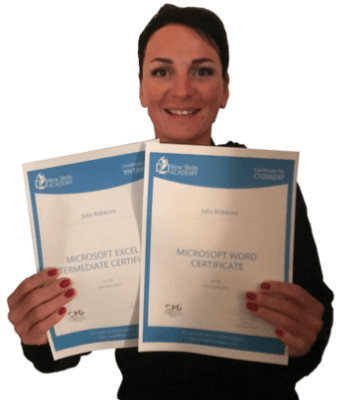
This is a great course for any level of knowledge. Very easy to navigate, great practical tasks and explanations are very clear. You can revise any module with no problem. The test wasn’t too hard if you completed every module. It may be handy to make some notes before you start. Overall I'm very happy with my choice. Thank you New skills for my New skills :)
Julia Bobkova
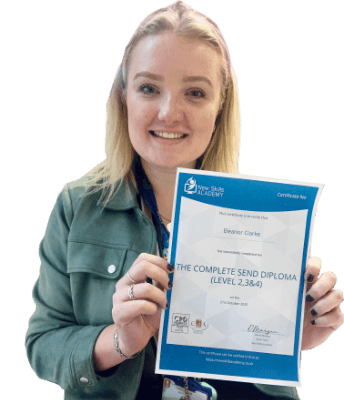
It was an eye opening course that was flexible and easy to access. I was able to complete it from the comfort of my own home whilst also having the tasks to complete which enabled me to check my knowledge. I know feel much more confident in my field of work and really enjoyed doing it.
Ellie Clarke
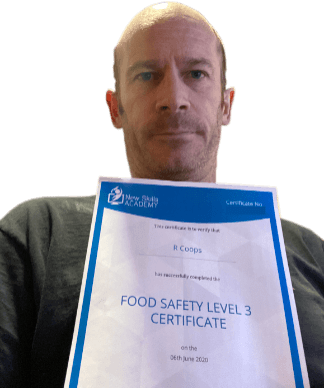
Yet another well laid out course. This is my 3rd course so far with New Skills Academy.
More than likely will be back for another one soon. This course was enjoyable to do, and I learnt a lot and passed first try. My certificate will be up on the wall soon.
Rob Coops

Excellent course, well explained and easy to understand. The course can be done at my own pace and is available on various devices. The layout of the course was excellent and the notes options is very good. The content is perfect and well structured, making it easy to understand and follow. I will definitely be taking more courses in the future.
Luis Costa

Omg im so excited, over joyed and all the good stuff that comes to mind! Wonderful experience doing lessons with New Skills Academy. I look foward to doing more courses with them. I hope this will encourage others to come on board and refresh your minds or to learn something new, it's a win win situation. I want to thank New Skills Academy so much for making this as simple as possible for me.
Shari Anderson