The Complete Microsoft Excel Certification


Why you should study with us
Includes the following courses:
Microsoft Excel for Beginners Certification Microsoft Excel Advanced Certification Microsoft Excel Intermediate CertificationThe Complete Microsoft Excel Certification Course
Please Note: This course uses the Microsoft 365 version of Excel. Any other versions will have some differences in the functions.
One of the most widely used programs in the world for visualizing and analyzing data is Microsoft Excel.
This software is used in almost every industry, not to mention for personal use in households around the world. Small business owners rely on Excel to track hours, finances, and invoices, and large corporations rely on Excel for data analysis, to visualize data, and innumerable other tasks.
Whether you are brand new to the world of Excel, or you have training and knowledge of the software and are looking to improve your skills, this series of courses can help. By the time you finish the beginner, intermediate and advanced courses, you too will be an expert in Excel.
There is no time limit or deadline to complete the courses.
You can access these courses from any mobile device, including tablets, computers, and mobiles, as long as you have access to the internet. Since the lessons in this course are only a few minutes each, it makes it very convenient to stop and start when necessary. This helps to study when you have time, even if you have less than 10 minutes or 15 minutes. The following is an overview of each of the three Excel courses:
MS Excel Beginners Course
The MS Excel beginners course will give you a full overview of all of the most common features of Excel and how to use them.
Some of the highlights of this course include:
- A basic overview of Excel
- Calculating sums, averages, and totals
- Counting cells
- Learning formulas, such as IF, COUNTIF, SUMIF, VLOOKUP, HLOOKUP, and AVERAGEIF
- Pivot tables
- Inserting, editing, and deleting comments
- Creating borders
- Wrapping text
- Merging cells
- Pasting, sorting, and converting columns to rows
- Creating graphs and charts
- Using the dictionary
This beginners course is recommended for anyone who might use Excel at home or at work for uncomplicated reasons, such as tracking simple expenditures or for calculating sums or totals.
This course is ideal for anyone who has never used Excel or for those who have only a rudimentary understanding of the software. It is also perfect for anyone who is familiar with the older versions of the software, but not the latest version. If you are re-entering the workforce, you will also find that this course will suit you well, and will certainly get you caught up with the rest of your peers.
The course begins with explaining concepts, such as 'What is a cell?' and how to tell the difference between a column and a row.
The course continues by explaining basic Excel concepts such as how to create, copy, delete, and cut information from Excel cells.
You will also learn how to edit information that is put into a cell and how to insert and edit comments when using Excel. T
he second half of the beginner's Excel overview, which is only a small part of the beginner course, will cover sheets, which is an entirely different concept than cells. In this section, you will learn how to rename a sheet, delete a sheet, hide and unhide a sheet, and move and copy a sheet.
You will also learn how to change the color of tabs.
After mastering the beginner's overview, the rest of the beginner course will go further into these concepts, and then teach details on how to perform basic functions. Each video in the course shows where one can learn more about the concept covered in the course, as well as the difficulty level of the concept.
There is also a full explanation of the concept and the instructor of the course visually takes students through each concept step by step on the screen. When you finish this course, you will have a basic understanding of how to use many of the functions of Excel, and can use the program with ease. You will then be fully prepared to move ahead to the intermediate course.
MS Excel Intermediate Course
The MS Excel Intermediate Course will take what you learned in the beginner course and expand upon it. Additionally, this course will teach you more advanced concepts than those that were presented in the beginner course.
Some of the highlights of the intermediate Excel course include the following:
- Learning more about intermediate Excel functions including ABS, SUMIF, HLOOKUP, VLOOKUP, COUNTIF, AVERAGEIF, AVERAGEIFS, and AVERAGEA
- Data validation with date, list, time, and numbers
- Functions such as RANK, MIN, MAX, CHAR, MODE, MEDIAN, CODE, CLEAN, and EXACT
- How to remove duplicates in Excel
- Creating random numbers
- Changing text case
- Adding custom backgrounds
- Zooming in and out of Excel
- How to auto fill data
- Adding special characters
- Changing border color and theme
Before jumping into the MS Excel Intermediate course, one should have a good basic overview of the beginner Excel functions.
Those with experience in Excel might feel as if they can skip the beginner course, but it is best to at least go through the course and review it before starting the intermediate curriculum. Like the beginner course, the intermediate course is set up into short modules, and you can watch the module videos on any device that can connect to the internet.
The curriculum in the intermediate course is designed for those who work with Excel in the workplace, and it is primarily for those who want to improve their skills with this program.
There is a lot of useful information found in this course, and these skills are necessary for anyone who is going into investments, banking, or consulting, and will also be useful for administrators or for those who track or analyze a lot of data. If you are someone who is new to the workforce, you, too, will find that employers are looking for candidates with at least intermediate Excel skills.
The first several modules of the intermediate Excel course teaches students how to use formulas, including HLOOKUP, VLOOKUP, COUNTIF, and ABS. Data validation information follows this, and students work through several modules, each of which are focused on a type of data validation, such as date, list, and time.
The course continues with more information on specific formulas, which include CHAR, CODE, MEDIAN, MODE, and ROUND. Additional information is given on how to manipulate these formulas to meet your needs as an Excel user.
Other information in the MS Excel Intermediate Course includes how to change the text in Excel, i.e. changing text to all upper case or lower case.
You will also learn how to change the background and add a custom image, and information on auto-filling in Excel. Finally, this course will teach students how to use AutoFill, how to insert special characters, and how to draw borders.
Upon completion of this course, you will know about most of the functions that Excel has, and how to use this software at an intermediate level. Additionally, you will have the skills necessary to use Excel in most business environments. You will also be fully prepared to begin the MS Excel Advanced Course.
MS Excel Advanced Course
The MS Excel Advanced Course is the longest and the most intense of the three Excel courses presented here.
However, if you have successfully passed the beginner and the intermediate courses, you should consider yourself fully prepared to begin the advanced course. Formulas, or functions, are what advanced users of Excel want from this tool.
When one uses formulas, not only can they see the data they require for their work, they can also analyze it and get answers to very complex questions.
Though any person with a small amount of Excel knowledge can use formulas, such as SUM, a user who has advanced Excel skills will use other formulas, both alone and combined, such as MATCH, INDEX, SUMIFS, and LOOKUP.
In addition to knowing these formulas, those who are advanced users of Excel know how to debug these formulas, how to audit them, and how to choose the perfect formula for the occasion.
Some of the concepts that you will learn in the MS Excel Advanced Course include the following:
- Adding passwords
- VLOOKUP Advanced formula options and manipulations
- Other advanced functions including OR, AND, CHOOSE, INDIRECT, REPLACE, LEAN, LEFT, FIND, and ROUNDUP.
- Functions including CEILING, CORREL, FORECAST, FREQUENCY, SUBTOTAL, and SUMIFS
- Coloring a column and row with a formula
- Highlighting a cell with a formula
- Functions including ISODD, ISNUMBER, ISTEXT, ISLOGICAL, ISNONTEXT, ISERROR, ISERR, ISBLANK
- Functions including DGET, DMAX, DPRODUCT, DCOUNTA, DCOUNT, DSUM, DAVERAGE
- How to calculate depreciation in Excel, including SLN depreciation and SYD depreciation
- Calculating loam EMI
- Functions including DATEDIF, DATEVALUE, EDATE, EOMONTH, MATCH, INDEX
- Full explanation of the INDEX and MATCH functions, covering several modules
- Looking up data
- Selecting only cells containing comments
- Hiding formulas
- Automatically inserting serial numbers
As you can see, the information you will get from the MS Excel Advanced Course will fully prepare you for virtually any career path, including those that require advanced skills with this software.
Once you complete the advanced course, you will have access to the full functionality of Excel, and will know how to use all formulas, functions, and capabilities.
Though this course is the longest and most involved of the three, once you complete it, you will have the knowledge and skills that most can only dream of.
This course opens with how to add a password and also focuses on the VLOOKUP formula, and several modules teach students how to use this function in their work. The course also has modules on the OR and AND commands, and focuses on other functions, such as REPLACE, MID, LEFT, and FIND.
You will also learn about calculating depreciation, calculating interest, and even calculating EMI for loans, all by using Excel functions.
Additionally, the course features information on INDEX and MATCH functions, which is extremely important in certain industries and positions.
The course also shows students how to use the CHOOSE formula, and how to create special charts.
Finally, the course will show how to automatically enter serial numbers and perform extremely advanced functions. The advanced Excel course is designed for power users.
The general population would not use the information contained within this course, but there are some features taught in the advanced course that can make your Excel usage easier. However, it is recommended that those who take this Excel course continue with the advanced course for a number of reasons.
First, getting more knowledge about Excel can help you to master the beginner and intermediate concepts. Additionally, no one has ever lost anything by having more knowledge.
You might find that knowing this information will help you in the future, too, as you never know when the organization you work for might require the services of an Excel expert. These people are paid quite well, and are an invaluable addition to most companies.
Too many people believe that advanced Excel concepts are only useful for those who are interested in programming or concepts such as financial modeling. This, however, is not totally true.
The actual truth is that the information contained within this course could be the key to your next promotion or your next job. All three of these courses are designed to improve the knowledge you have with Excel, no matter if you are a beginner, intermediate, or an advanced user.
Since these courses are divided into sections, you will also find that they are convenient, and it is possible to learn and study during your free time.
Additionally, as the modules in the courses are only a few minutes long, for the most part, you don't have to take a lot of time during your day to focus on an individual module.
Finally, since these courses are available online, again, you can access them from any internet-enabled device.
This course includes
24/7 Student Support
End of course certification
Lifetime access to your course
Compatible with modern devices
This is a bundle course, and contains the following courses:
Microsoft Excel for Beginners Certification
Please Note: This course uses the Microsoft 365 version of Excel. Any other versions will have some differences in the functions.
One of the most widely used programs for visualizing and analyzing data is Microsoft Excel. This software is used in almost every industry, not to mention for personal use in households around the world. Small business owners rely on Excel to track hours, finances, and invoices, and large corporations rely on Excel for data analysis, to visualize data, and innumerable other tasks.
Whether you are brand new to the world of Excel, or you have training and knowledge of the software and are looking to improve your skills, this series of courses can help. By the time you finish the beginner, intermediate and advanced courses, you too will be an expert in Excel. These training videos help you learn at your own pace, as there is no time limit or deadline to complete the courses.
You can also access these courses from any mobile device, including tablets, computers, and mobiles, as long as you have access to the internet. Since the lessons in this course are only a few minutes each, it makes it very convenient for one to stop and start when necessary. This helps to study when you have time, even if you have less than 20 minutes.
Introduction to the Microsoft Excel for Beginners Course
This beginners course is recommended for anyone who might use Excel at home or at work for uncomplicated reasons, such as tracking simple expenditures or for calculating sums or totals. This course is ideal for anyone who has never used Excel or for those who have only a rudimentary understanding of the software. It is also perfect for anyone who is familiar with the older versions of the software, but not the latest version.
If you are re-entering the workforce, you will also find that this course will suit you well, and will certainly get you caught up with your peers. The course begins with explaining concepts, such as 'What is a cell?' and how to tell the difference between a column and a row. The course continues by explaining basic Excel concepts such as how to create, copy, delete, and cut information from Excel cells. You will also learn how to edit information that is put into a cell and how to insert and edit comments when using Excel.
The second half of the beginners Excel overview, which is only a small part of the beginners course, will cover sheets, which is an entirely different concept than cells. In this section, you will learn how to rename a sheet, delete a sheet, hide and unhide a sheet, and move and copy a sheet. You will also learn how to change the color of tabs.
After mastering the beginners overview, the rest of the beginners course will go further into these concepts, and then teach details on how to perform basic functions. Each video in the course gives a full explanation of the concept and the instructor visually takes students through each concept step by step on the screen.
When you finish this course, you will have a basic understanding of how to use many of the functions of Excel, and can use the program with ease. You will then be fully prepared to move ahead to the intermediate course.
What you will learn
The MS Excel beginners course will give you a full overview of all of the most common features of Excel and how to use them. Some of the highlights of this course include:
- A basic overview of Excel
- Calculating sums, averages, and totals
- Counting cells
- Learning formulas, such as IF, COUNTIF, SUMIF, VLOOKUP, HLOOKUP, and AVERAGEIF
- Pivot tables
- Inserting, editing, and deleting comments
- Creating borders
- Wrapping text
- Merging cells
- Pasting, sorting, and converting columns to rows
- Creating graphs and charts
- Using the dictionary
Microsoft Excel Advanced Certification
Please Note: This course uses the Microsoft 365 version of Excel. Any other versions will have some differences in the functions.
The MS Excel Advanced Certification Course is the longest and the most intense of the three Excel courses presented here. However, if you have successfully passed the beginner and the intermediate courses, you should consider yourself fully prepared to begin the advanced course.
Formulas, or functions, are what advanced users of Excel want from this tool. When one uses formulas, not only can they see the data they require for their work, they can also analyze it and get answers to very complex questions. Though any person with a small amount of Excel knowledge can use formulas, such as SUM, a user who has advanced Excel skills will use other formulas, both alone and combined, such as MATCH, INDEX, SUMIFS, and LOOKUP.
In addition to knowing these formulas, those who are advanced users of Excel know how to debug these formulas, how to audit them, and how to choose the perfect formula for the occasion.
What you will learn
Some of the concepts that you will learn in the MS Excel Advanced Course include the following:
- How to set a Password to an Excel document
- VLOOKUP Advanced formula options and manipulations
- Other advanced functions including OR, AND, CHOOSE, INDIRECT, REPLACE, LEAN, LEFT, FIND, and ROUNDUP.
- Functions including CEILING, CORREL, FORECAST, FREQUENCY, SUBTOTAL, and SUMIFS
- Coloring a column and row with a formula
- Highlighting a cell with a formula
- Functions including ISODD, ISNUMBER, ISTEXT, ISLOGICAL, ISNONTEXT, ISERROR, ISERR, ISBLANK
- Functions including DGET, DMAX, DPRODUCT, DCOUNTA, DCOUNT, DSUM, DAVERAGE
- How to calculate depreciation in Excel, including SLN depreciation and SYD depreciation
- Calculating loam EMI
- Functions including DATEDIF, DATEVALUE, EDATE, EOMONTH, MATCH, INDEX
- Full explanation of the INDEX and MATCH functions, covering several chapters
- Looking up data
- Selecting only cells containing comments
- Hiding formulas
- Automatically inserting serial numbers
As you can see, the information you will get from the MS Excel Advanced Course will fully prepare you for virtually any career path, including those that require advanced skills with this software. Once you complete the advanced course, you will have access to the full functionality of Excel, and will know how to use all formulas, functions, and capabilities. Though this course is the longest and most involved of the three, once you complete it, you will have the knowledge and skills that most can only dream of.
This course opens with how to add a password, and also focuses on the VLOOKUP formula, offering several chapters on how to use this function. The course discusses the OR and AND commands, and also focuses on other functions, such as REPLACE, MID, LEFT, and FIND. You will also learn about calculating depreciation, calculating interest, and even calculating EMI for loans, all by using Excel functions. Additionally, the course features information on INDEX and MATCH functions, which is extremely important in certain industries and positions.
The course also shows students how to use the CHOOSE formula, and how to create special charts. Finally, the course will show how to automatically enter serial numbers and perform extremely advanced functions.
The advanced Excel course is designed for power users. The general population would not use the information contained within this course, but there are some features taught in the advanced course that can make your Excel usage easier. However, it is recommended that those who take this Excel course continue with the advanced course for a number of reasons.
First, getting more knowledge about Excel can help you to master the beginner and intermediate concepts. Additionally, no one has ever lost anything by having more knowledge. You might find that knowing this information will help you in the future, too, as you never know when the organization you work for might require the services of an Excel expert. These people are paid quite well, and are an invaluable addition to most companies.
Too many people believe that advanced Excel concepts are only useful for those who are interested in programming or concepts such as financial modeling. This, however, is not totally true. The actual truth is that the information contained within this course could be the key to your next promotion or your next job.
MS Excel Intermediate Certification Course
Please Note: This course uses the Microsoft 365 version of Excel. Any other versions will have some differences in the functions.
The MS Excel Intermediate Certification Course will take what you learned in the beginner course and expand upon it. Additionally, this course will teach you more advanced concepts than those that were presented in the beginner course.
What you will learn
Some of the highlights of the intermediate Excel course include the following:
- Learning more about intermediate Excel functions including ABS, AVERAGEIF, AVERAGEIFS, and AVERAGEA
- Data validation with date, list, time, and numbers
- Functions such as RANK, MIN, MAX, CHAR, MODE, MEDIAN, CODE, CLEAN, and EXACT
- How to remove duplicates in Excel
- Creating random numbers
- Changing text case
- How to use Templates
- Insert Charts
- Adding custom backgrounds
- How to use Tables
- How to auto fill data
- Adding special characters
- Changing border color and theme
Before jumping into the MS Excel Intermediate course, one should have a good basic overview of the beginner Excel functions. Those with experience in Excel might feel as if they can skip the beginner course, but it is best to at least go through the course and review it before starting the intermediate curriculum.
Like the beginner course, the intermediate course is set up into short modules, and you can watch the module videos on any device that can connect to the internet. The curriculum in the intermediate course is designed for those who work with Excel in the workplace, and it is primarily for those who want to improve their skills with this program.
There is a lot of useful information found in this course, and these skills are necessary for anyone who is going into investments, banking, or consulting, and will also be useful for administrators or for those who track or analyze a lot of data. If you are someone who is new to the workforce, you too will find that employers are looking for candidates with at least intermediate Excel skills.
The course teaches students how to use functions, including AVERAGEA, AVERAGEIF, AVERAGEIFS and ABS. You will also learn data validation information and students work through several modules, each of which are focused on a type of data validation, such as date, list, and time.
The course deals with more information on specific functions, which include CHAR, CODE, MEDIAN, MODE, and ROUND. Additional information is given on how to manipulate these functions to meet your needs as an Excel user.
Other information in the MS Excel Intermediate Course includes how to change the text in Excel, i.e. changing text to all upper case or lower case. You will also learn how to change the background and add a custom image, how to use AutoFill and how to insert special characters.
Upon completion of this course, you will know about most of the functions that Excel has, and how to use this software at an intermediate level. Additionally, you will have the skills necessary to use Excel in most business environments. You will also be fully prepared to begin the MS Excel Advanced Course.
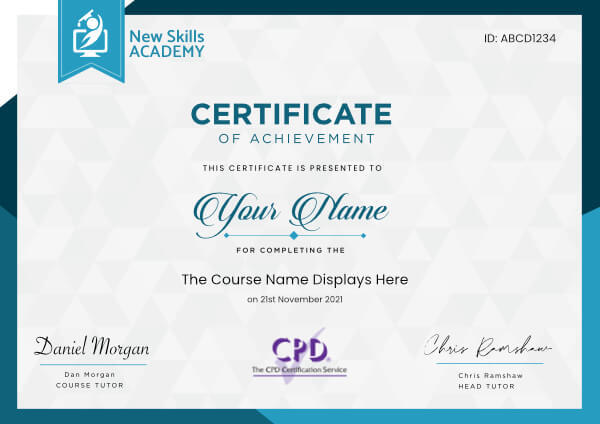
 ID: YDFT67YHJ
of achievement
This certificate is presented to
Your Name

For completing the
The Complete Microsoft Excel Certification
on 21st November 2026
Selena Hurford
Selena Hurford
Course Tutor

Daniel Morgan
Daniel Morgan
Head of Academy
Anyone who has an interest in learning more about this subject matter is encouraged to take the course. There are no entry requirements to take the course.
The course is broken down into 0 individual modules. Each module takes between 20 and 90 minutes on average to study. Although you are free to spend as much or as little time as you feel necessary on each module, simply log in and out of the course at your convenience.
You can study the course any time you like. Simply log in and out of the web based course as often as you require. The course is compatible with all computers, tablet devices and smart phones so you can even study while on the move!
Once you have completed all 0 modules there is a multiple choice test. The questions will be on a range of topics found within the 0 modules. The test, like the course, is online and can be taken a time and location of your choosing.
The pass mark for the test is 70%.
If you don’t pass the test first time you will get further opportunities to take the test again after extra study. There are no limits to the number of times you can take the test. All test retakes are included within the price of the course.
You can either use your Visa, MasterCard, American Express, Solo cards or PayPal account to pay for the online course. Our site uses the latest SSL encryption to ensure your safety. All payments are handled securely by PayPal.
You can begin the course immediately after your payment has been received. You will create your login details during the checkout process. We will also send you an email confirming your login details.
We estimate that the course will take about 40 hours to complete in total, plus an additional 30 minutes for the end of course test.
Once you have been awarded your certificate it is valid for life. The certificate does not expire or need renewing.
I found the CRM course to be very informative & user friendly. The knowledge I've gained, after completing five detailed modules & a short exam, has given me a much better understanding of CRM and this personal development will help me to implement new processes in the workplace. The entire course is available on demand, before and after completion, meaning you can go over every module until you're confident enough to take the exam. For anybody looking to gain information on what Customer Relationship Management is, and how it can improve your business, I cannot not recommend this course highly enough.

Joe Shawyer
For me, as a current employee in Human Resources, this HR Management Course was an excellent opportunity to get more insight of the industry and my job role. The course provided with a lot of relevant information that I could relate to in my job role as well as find ideas that I would be able to adapt in my workplace. I am keen on sharing my knowledge and implementing these new ideas in order to help our company achieve success. Would highly recommend this HRM course to people desiring to join Human Resources as well as the ones already working in the industry as everyone will be able to obtain something that will help them develop as a worker, a person and a future HR Manager!

Sandra Zinkeviciute
Great course, lots of really good information which I could take my time over reading and making notes. I could then understand and learn through the content. It has definitely already helped my teaching and will continue to be a source of reference.

Harriet More
My course was the Pet Sitting and Dog Walking course. It is quite an interesting course! It was perfect to learn, and this what I was looking for.
Easy and clear to understand with many helpful pictures, very helpful extra information, very informative. I really enjoyed studying this course. For me it was fun ? I studied when I have had time, which is great for me in addition to my current job.
I hope I can start soon my new career with my newly learned skills. I am so excited. Fully accredited course which is important for me. I will definitely recommend New Skills Academy!

Tamas Fekete
I really enjoyed this course. Was a lot of reading and had to stop and try to take it in.
There were 21 modules, and most of them took 45 minutes to complete, so you need to be in a position, where you actually have the time to do all the tasks that are required. The tasks are mainly to do things by yourself to practise what you have just read, but doing it will help you out so much.
Will be looking for another course, as I enjoyed this so much, definitely worth the price as the certificate is worth more on your cv.

Danielle Booth
Very interesting topics, I feel like I have expanded my knowledge and have more of an understanding and can use the techniques I have learnt professionally. I feel more confident in my ability!
I enjoyed the videos of the makeup application and thought the flow of the course was very well structured which made it easy to follow. It had me excited to do more and complete next stages as it was in bite size chunks.
I am very happy with the programme thoroughly enjoyed it I wish it was longer so I could learn more. Thank you for the course!

Phoebe Shufflebotham
The Complete Microsoft Excel Certification Course
Please Note: This course uses the Microsoft 365 version of Excel. Any other versions will have some differences in the functions.
One of the most widely used programs in the world for visualizing and analyzing data is Microsoft Excel.
This software is used in almost every industry, not to mention for personal use in households around the world. Small business owners rely on Excel to track hours, finances, and invoices, and large corporations rely on Excel for data analysis, to visualize data, and innumerable other tasks.
Whether you are brand new to the world of Excel, or you have training and knowledge of the software and are looking to improve your skills, this series of courses can help. By the time you finish the beginner, intermediate and advanced courses, you too will be an expert in Excel.
There is no time limit or deadline to complete the courses.
You can access these courses from any mobile device, including tablets, computers, and mobiles, as long as you have access to the internet. Since the lessons in this course are only a few minutes each, it makes it very convenient to stop and start when necessary. This helps to study when you have time, even if you have less than 10 minutes or 15 minutes. The following is an overview of each of the three Excel courses:
MS Excel Beginners Course
The MS Excel beginners course will give you a full overview of all of the most common features of Excel and how to use them.
Some of the highlights of this course include:
- A basic overview of Excel
- Calculating sums, averages, and totals
- Counting cells
- Learning formulas, such as IF, COUNTIF, SUMIF, VLOOKUP, HLOOKUP, and AVERAGEIF
- Pivot tables
- Inserting, editing, and deleting comments
- Creating borders
- Wrapping text
- Merging cells
- Pasting, sorting, and converting columns to rows
- Creating graphs and charts
- Using the dictionary
This beginners course is recommended for anyone who might use Excel at home or at work for uncomplicated reasons, such as tracking simple expenditures or for calculating sums or totals.
This course is ideal for anyone who has never used Excel or for those who have only a rudimentary understanding of the software. It is also perfect for anyone who is familiar with the older versions of the software, but not the latest version. If you are re-entering the workforce, you will also find that this course will suit you well, and will certainly get you caught up with the rest of your peers.
The course begins with explaining concepts, such as 'What is a cell?' and how to tell the difference between a column and a row.
The course continues by explaining basic Excel concepts such as how to create, copy, delete, and cut information from Excel cells.
You will also learn how to edit information that is put into a cell and how to insert and edit comments when using Excel. T
he second half of the beginner's Excel overview, which is only a small part of the beginner course, will cover sheets, which is an entirely different concept than cells. In this section, you will learn how to rename a sheet, delete a sheet, hide and unhide a sheet, and move and copy a sheet.
You will also learn how to change the color of tabs.
After mastering the beginner's overview, the rest of the beginner course will go further into these concepts, and then teach details on how to perform basic functions. Each video in the course shows where one can learn more about the concept covered in the course, as well as the difficulty level of the concept.
There is also a full explanation of the concept and the instructor of the course visually takes students through each concept step by step on the screen. When you finish this course, you will have a basic understanding of how to use many of the functions of Excel, and can use the program with ease. You will then be fully prepared to move ahead to the intermediate course.
MS Excel Intermediate Course
The MS Excel Intermediate Course will take what you learned in the beginner course and expand upon it. Additionally, this course will teach you more advanced concepts than those that were presented in the beginner course.
Some of the highlights of the intermediate Excel course include the following:
- Learning more about intermediate Excel functions including ABS, SUMIF, HLOOKUP, VLOOKUP, COUNTIF, AVERAGEIF, AVERAGEIFS, and AVERAGEA
- Data validation with date, list, time, and numbers
- Functions such as RANK, MIN, MAX, CHAR, MODE, MEDIAN, CODE, CLEAN, and EXACT
- How to remove duplicates in Excel
- Creating random numbers
- Changing text case
- Adding custom backgrounds
- Zooming in and out of Excel
- How to auto fill data
- Adding special characters
- Changing border color and theme
Before jumping into the MS Excel Intermediate course, one should have a good basic overview of the beginner Excel functions.
Those with experience in Excel might feel as if they can skip the beginner course, but it is best to at least go through the course and review it before starting the intermediate curriculum. Like the beginner course, the intermediate course is set up into short modules, and you can watch the module videos on any device that can connect to the internet.
The curriculum in the intermediate course is designed for those who work with Excel in the workplace, and it is primarily for those who want to improve their skills with this program.
There is a lot of useful information found in this course, and these skills are necessary for anyone who is going into investments, banking, or consulting, and will also be useful for administrators or for those who track or analyze a lot of data. If you are someone who is new to the workforce, you, too, will find that employers are looking for candidates with at least intermediate Excel skills.
The first several modules of the intermediate Excel course teaches students how to use formulas, including HLOOKUP, VLOOKUP, COUNTIF, and ABS. Data validation information follows this, and students work through several modules, each of which are focused on a type of data validation, such as date, list, and time.
The course continues with more information on specific formulas, which include CHAR, CODE, MEDIAN, MODE, and ROUND. Additional information is given on how to manipulate these formulas to meet your needs as an Excel user.
Other information in the MS Excel Intermediate Course includes how to change the text in Excel, i.e. changing text to all upper case or lower case.
You will also learn how to change the background and add a custom image, and information on auto-filling in Excel. Finally, this course will teach students how to use AutoFill, how to insert special characters, and how to draw borders.
Upon completion of this course, you will know about most of the functions that Excel has, and how to use this software at an intermediate level. Additionally, you will have the skills necessary to use Excel in most business environments. You will also be fully prepared to begin the MS Excel Advanced Course.
MS Excel Advanced Course
The MS Excel Advanced Course is the longest and the most intense of the three Excel courses presented here.
However, if you have successfully passed the beginner and the intermediate courses, you should consider yourself fully prepared to begin the advanced course. Formulas, or functions, are what advanced users of Excel want from this tool.
When one uses formulas, not only can they see the data they require for their work, they can also analyze it and get answers to very complex questions.
Though any person with a small amount of Excel knowledge can use formulas, such as SUM, a user who has advanced Excel skills will use other formulas, both alone and combined, such as MATCH, INDEX, SUMIFS, and LOOKUP.
In addition to knowing these formulas, those who are advanced users of Excel know how to debug these formulas, how to audit them, and how to choose the perfect formula for the occasion.
Some of the concepts that you will learn in the MS Excel Advanced Course include the following:
- Adding passwords
- VLOOKUP Advanced formula options and manipulations
- Other advanced functions including OR, AND, CHOOSE, INDIRECT, REPLACE, LEAN, LEFT, FIND, and ROUNDUP.
- Functions including CEILING, CORREL, FORECAST, FREQUENCY, SUBTOTAL, and SUMIFS
- Coloring a column and row with a formula
- Highlighting a cell with a formula
- Functions including ISODD, ISNUMBER, ISTEXT, ISLOGICAL, ISNONTEXT, ISERROR, ISERR, ISBLANK
- Functions including DGET, DMAX, DPRODUCT, DCOUNTA, DCOUNT, DSUM, DAVERAGE
- How to calculate depreciation in Excel, including SLN depreciation and SYD depreciation
- Calculating loam EMI
- Functions including DATEDIF, DATEVALUE, EDATE, EOMONTH, MATCH, INDEX
- Full explanation of the INDEX and MATCH functions, covering several modules
- Looking up data
- Selecting only cells containing comments
- Hiding formulas
- Automatically inserting serial numbers
As you can see, the information you will get from the MS Excel Advanced Course will fully prepare you for virtually any career path, including those that require advanced skills with this software.
Once you complete the advanced course, you will have access to the full functionality of Excel, and will know how to use all formulas, functions, and capabilities.
Though this course is the longest and most involved of the three, once you complete it, you will have the knowledge and skills that most can only dream of.
This course opens with how to add a password and also focuses on the VLOOKUP formula, and several modules teach students how to use this function in their work. The course also has modules on the OR and AND commands, and focuses on other functions, such as REPLACE, MID, LEFT, and FIND.
You will also learn about calculating depreciation, calculating interest, and even calculating EMI for loans, all by using Excel functions.
Additionally, the course features information on INDEX and MATCH functions, which is extremely important in certain industries and positions.
The course also shows students how to use the CHOOSE formula, and how to create special charts.
Finally, the course will show how to automatically enter serial numbers and perform extremely advanced functions. The advanced Excel course is designed for power users.
The general population would not use the information contained within this course, but there are some features taught in the advanced course that can make your Excel usage easier. However, it is recommended that those who take this Excel course continue with the advanced course for a number of reasons.
First, getting more knowledge about Excel can help you to master the beginner and intermediate concepts. Additionally, no one has ever lost anything by having more knowledge.
You might find that knowing this information will help you in the future, too, as you never know when the organization you work for might require the services of an Excel expert. These people are paid quite well, and are an invaluable addition to most companies.
Too many people believe that advanced Excel concepts are only useful for those who are interested in programming or concepts such as financial modeling. This, however, is not totally true.
The actual truth is that the information contained within this course could be the key to your next promotion or your next job. All three of these courses are designed to improve the knowledge you have with Excel, no matter if you are a beginner, intermediate, or an advanced user.
Since these courses are divided into sections, you will also find that they are convenient, and it is possible to learn and study during your free time.
Additionally, as the modules in the courses are only a few minutes long, for the most part, you don't have to take a lot of time during your day to focus on an individual module.
Finally, since these courses are available online, again, you can access them from any internet-enabled device.
This course includes
24/7 Student Support
End of course certification
Lifetime access to your course
Compatible with modern devices
This is a bundle course, and contains the following courses:
Microsoft Excel for Beginners Certification
Please Note: This course uses the Microsoft 365 version of Excel. Any other versions will have some differences in the functions.
One of the most widely used programs for visualizing and analyzing data is Microsoft Excel. This software is used in almost every industry, not to mention for personal use in households around the world. Small business owners rely on Excel to track hours, finances, and invoices, and large corporations rely on Excel for data analysis, to visualize data, and innumerable other tasks.
Whether you are brand new to the world of Excel, or you have training and knowledge of the software and are looking to improve your skills, this series of courses can help. By the time you finish the beginner, intermediate and advanced courses, you too will be an expert in Excel. These training videos help you learn at your own pace, as there is no time limit or deadline to complete the courses.
You can also access these courses from any mobile device, including tablets, computers, and mobiles, as long as you have access to the internet. Since the lessons in this course are only a few minutes each, it makes it very convenient for one to stop and start when necessary. This helps to study when you have time, even if you have less than 20 minutes.
Introduction to the Microsoft Excel for Beginners Course
This beginners course is recommended for anyone who might use Excel at home or at work for uncomplicated reasons, such as tracking simple expenditures or for calculating sums or totals. This course is ideal for anyone who has never used Excel or for those who have only a rudimentary understanding of the software. It is also perfect for anyone who is familiar with the older versions of the software, but not the latest version.
If you are re-entering the workforce, you will also find that this course will suit you well, and will certainly get you caught up with your peers. The course begins with explaining concepts, such as 'What is a cell?' and how to tell the difference between a column and a row. The course continues by explaining basic Excel concepts such as how to create, copy, delete, and cut information from Excel cells. You will also learn how to edit information that is put into a cell and how to insert and edit comments when using Excel.
The second half of the beginners Excel overview, which is only a small part of the beginners course, will cover sheets, which is an entirely different concept than cells. In this section, you will learn how to rename a sheet, delete a sheet, hide and unhide a sheet, and move and copy a sheet. You will also learn how to change the color of tabs.
After mastering the beginners overview, the rest of the beginners course will go further into these concepts, and then teach details on how to perform basic functions. Each video in the course gives a full explanation of the concept and the instructor visually takes students through each concept step by step on the screen.
When you finish this course, you will have a basic understanding of how to use many of the functions of Excel, and can use the program with ease. You will then be fully prepared to move ahead to the intermediate course.
What you will learn
The MS Excel beginners course will give you a full overview of all of the most common features of Excel and how to use them. Some of the highlights of this course include:
- A basic overview of Excel
- Calculating sums, averages, and totals
- Counting cells
- Learning formulas, such as IF, COUNTIF, SUMIF, VLOOKUP, HLOOKUP, and AVERAGEIF
- Pivot tables
- Inserting, editing, and deleting comments
- Creating borders
- Wrapping text
- Merging cells
- Pasting, sorting, and converting columns to rows
- Creating graphs and charts
- Using the dictionary
Microsoft Excel Advanced Certification
Please Note: This course uses the Microsoft 365 version of Excel. Any other versions will have some differences in the functions.
The MS Excel Advanced Certification Course is the longest and the most intense of the three Excel courses presented here. However, if you have successfully passed the beginner and the intermediate courses, you should consider yourself fully prepared to begin the advanced course.
Formulas, or functions, are what advanced users of Excel want from this tool. When one uses formulas, not only can they see the data they require for their work, they can also analyze it and get answers to very complex questions. Though any person with a small amount of Excel knowledge can use formulas, such as SUM, a user who has advanced Excel skills will use other formulas, both alone and combined, such as MATCH, INDEX, SUMIFS, and LOOKUP.
In addition to knowing these formulas, those who are advanced users of Excel know how to debug these formulas, how to audit them, and how to choose the perfect formula for the occasion.
What you will learn
Some of the concepts that you will learn in the MS Excel Advanced Course include the following:
- How to set a Password to an Excel document
- VLOOKUP Advanced formula options and manipulations
- Other advanced functions including OR, AND, CHOOSE, INDIRECT, REPLACE, LEAN, LEFT, FIND, and ROUNDUP.
- Functions including CEILING, CORREL, FORECAST, FREQUENCY, SUBTOTAL, and SUMIFS
- Coloring a column and row with a formula
- Highlighting a cell with a formula
- Functions including ISODD, ISNUMBER, ISTEXT, ISLOGICAL, ISNONTEXT, ISERROR, ISERR, ISBLANK
- Functions including DGET, DMAX, DPRODUCT, DCOUNTA, DCOUNT, DSUM, DAVERAGE
- How to calculate depreciation in Excel, including SLN depreciation and SYD depreciation
- Calculating loam EMI
- Functions including DATEDIF, DATEVALUE, EDATE, EOMONTH, MATCH, INDEX
- Full explanation of the INDEX and MATCH functions, covering several chapters
- Looking up data
- Selecting only cells containing comments
- Hiding formulas
- Automatically inserting serial numbers
As you can see, the information you will get from the MS Excel Advanced Course will fully prepare you for virtually any career path, including those that require advanced skills with this software. Once you complete the advanced course, you will have access to the full functionality of Excel, and will know how to use all formulas, functions, and capabilities. Though this course is the longest and most involved of the three, once you complete it, you will have the knowledge and skills that most can only dream of.
This course opens with how to add a password, and also focuses on the VLOOKUP formula, offering several chapters on how to use this function. The course discusses the OR and AND commands, and also focuses on other functions, such as REPLACE, MID, LEFT, and FIND. You will also learn about calculating depreciation, calculating interest, and even calculating EMI for loans, all by using Excel functions. Additionally, the course features information on INDEX and MATCH functions, which is extremely important in certain industries and positions.
The course also shows students how to use the CHOOSE formula, and how to create special charts. Finally, the course will show how to automatically enter serial numbers and perform extremely advanced functions.
The advanced Excel course is designed for power users. The general population would not use the information contained within this course, but there are some features taught in the advanced course that can make your Excel usage easier. However, it is recommended that those who take this Excel course continue with the advanced course for a number of reasons.
First, getting more knowledge about Excel can help you to master the beginner and intermediate concepts. Additionally, no one has ever lost anything by having more knowledge. You might find that knowing this information will help you in the future, too, as you never know when the organization you work for might require the services of an Excel expert. These people are paid quite well, and are an invaluable addition to most companies.
Too many people believe that advanced Excel concepts are only useful for those who are interested in programming or concepts such as financial modeling. This, however, is not totally true. The actual truth is that the information contained within this course could be the key to your next promotion or your next job.
MS Excel Intermediate Certification Course
Please Note: This course uses the Microsoft 365 version of Excel. Any other versions will have some differences in the functions.
The MS Excel Intermediate Certification Course will take what you learned in the beginner course and expand upon it. Additionally, this course will teach you more advanced concepts than those that were presented in the beginner course.
What you will learn
Some of the highlights of the intermediate Excel course include the following:
- Learning more about intermediate Excel functions including ABS, AVERAGEIF, AVERAGEIFS, and AVERAGEA
- Data validation with date, list, time, and numbers
- Functions such as RANK, MIN, MAX, CHAR, MODE, MEDIAN, CODE, CLEAN, and EXACT
- How to remove duplicates in Excel
- Creating random numbers
- Changing text case
- How to use Templates
- Insert Charts
- Adding custom backgrounds
- How to use Tables
- How to auto fill data
- Adding special characters
- Changing border color and theme
Before jumping into the MS Excel Intermediate course, one should have a good basic overview of the beginner Excel functions. Those with experience in Excel might feel as if they can skip the beginner course, but it is best to at least go through the course and review it before starting the intermediate curriculum.
Like the beginner course, the intermediate course is set up into short modules, and you can watch the module videos on any device that can connect to the internet. The curriculum in the intermediate course is designed for those who work with Excel in the workplace, and it is primarily for those who want to improve their skills with this program.
There is a lot of useful information found in this course, and these skills are necessary for anyone who is going into investments, banking, or consulting, and will also be useful for administrators or for those who track or analyze a lot of data. If you are someone who is new to the workforce, you too will find that employers are looking for candidates with at least intermediate Excel skills.
The course teaches students how to use functions, including AVERAGEA, AVERAGEIF, AVERAGEIFS and ABS. You will also learn data validation information and students work through several modules, each of which are focused on a type of data validation, such as date, list, and time.
The course deals with more information on specific functions, which include CHAR, CODE, MEDIAN, MODE, and ROUND. Additional information is given on how to manipulate these functions to meet your needs as an Excel user.
Other information in the MS Excel Intermediate Course includes how to change the text in Excel, i.e. changing text to all upper case or lower case. You will also learn how to change the background and add a custom image, how to use AutoFill and how to insert special characters.
Upon completion of this course, you will know about most of the functions that Excel has, and how to use this software at an intermediate level. Additionally, you will have the skills necessary to use Excel in most business environments. You will also be fully prepared to begin the MS Excel Advanced Course.
ID: YDFT67YHJ
of achievement
This certificate is presented to
Your Name
For completing the
The Complete Microsoft Excel Certification
on 21st November 2026
Selena Hurford
Selena Hurford
Course Tutor
Daniel Morgan
Daniel Morgan
Head of Academy
Anyone who has an interest in learning more about this subject matter is encouraged to take the course. There are no entry requirements to take the course.
The course is broken down into 0 individual modules. Each module takes between 20 and 90 minutes on average to study. Although you are free to spend as much or as little time as you feel necessary on each module, simply log in and out of the course at your convenience.
You can study the course any time you like. Simply log in and out of the web based course as often as you require. The course is compatible with all computers, tablet devices and smart phones so you can even study while on the move!
Once you have completed all 0 modules there is a multiple choice test. The questions will be on a range of topics found within the 0 modules. The test, like the course, is online and can be taken a time and location of your choosing.
The pass mark for the test is 70%.
If you don’t pass the test first time you will get further opportunities to take the test again after extra study. There are no limits to the number of times you can take the test. All test retakes are included within the price of the course.
You can either use your Visa, MasterCard, American Express, Solo cards or PayPal account to pay for the online course. Our site uses the latest SSL encryption to ensure your safety. All payments are handled securely by PayPal.
You can begin the course immediately after your payment has been received. You will create your login details during the checkout process. We will also send you an email confirming your login details.
We estimate that the course will take about 40 hours to complete in total, plus an additional 30 minutes for the end of course test.
Once you have been awarded your certificate it is valid for life. The certificate does not expire or need renewing.
I found the CRM course to be very informative & user friendly. The knowledge I've gained, after completing five detailed modules & a short exam, has given me a much better understanding of CRM and this personal development will help me to implement new processes in the workplace. The entire course is available on demand, before and after completion, meaning you can go over every module until you're confident enough to take the exam. For anybody looking to gain information on what Customer Relationship Management is, and how it can improve your business, I cannot not recommend this course highly enough.
Joe Shawyer
For me, as a current employee in Human Resources, this HR Management Course was an excellent opportunity to get more insight of the industry and my job role. The course provided with a lot of relevant information that I could relate to in my job role as well as find ideas that I would be able to adapt in my workplace. I am keen on sharing my knowledge and implementing these new ideas in order to help our company achieve success. Would highly recommend this HRM course to people desiring to join Human Resources as well as the ones already working in the industry as everyone will be able to obtain something that will help them develop as a worker, a person and a future HR Manager!
Sandra Zinkeviciute
Great course, lots of really good information which I could take my time over reading and making notes. I could then understand and learn through the content. It has definitely already helped my teaching and will continue to be a source of reference.
Harriet More
My course was the Pet Sitting and Dog Walking course. It is quite an interesting course! It was perfect to learn, and this what I was looking for.
Easy and clear to understand with many helpful pictures, very helpful extra information, very informative. I really enjoyed studying this course. For me it was fun ? I studied when I have had time, which is great for me in addition to my current job.
I hope I can start soon my new career with my newly learned skills. I am so excited. Fully accredited course which is important for me. I will definitely recommend New Skills Academy!
Tamas Fekete
I really enjoyed this course. Was a lot of reading and had to stop and try to take it in.
There were 21 modules, and most of them took 45 minutes to complete, so you need to be in a position, where you actually have the time to do all the tasks that are required. The tasks are mainly to do things by yourself to practise what you have just read, but doing it will help you out so much.
Will be looking for another course, as I enjoyed this so much, definitely worth the price as the certificate is worth more on your cv.
Danielle Booth
Very interesting topics, I feel like I have expanded my knowledge and have more of an understanding and can use the techniques I have learnt professionally. I feel more confident in my ability!
I enjoyed the videos of the makeup application and thought the flow of the course was very well structured which made it easy to follow. It had me excited to do more and complete next stages as it was in bite size chunks.
I am very happy with the programme thoroughly enjoyed it I wish it was longer so I could learn more. Thank you for the course!
Phoebe Shufflebotham
Why you should study with us
Learn with confidence...

 RRP
$100
RRP
$100
Get a FREE Course
Tick this box to Sign up for our newsletter, and get access to the Interview Skills and CV Writing Certificate course for free! By signing up, you agree to our Privacy Notice & Cookie Policy and to receive marketing and related emails from academy+ brands. You can unsubscribe at any time.What our students say about us...

Very interesting and helpful course. I ve learned a lot of interesting things about make up and the tutorials were very helpful and easy to understand. I really reccomend this course for everyone who is passionate about make up and wish to develop their skills and make a career from their hobby.
Nicoleta Lucaci
It was an eye opening course that was flexible and easy to access. I was able to complete it from the comfort of my own home whilst also having the tasks to complete which enabled me to check my knowledge. I know feel much more confident in my field of work and really enjoyed doing it.
Ellie Clarke

Wow what an incredible insight for the start of anyone's journey in property. This course gives you so much information and there are tests and questions on each of the modules. The course is very easy to follow and well laid out. You can actually make notes on the pages of each module using the notes tab! I am very excited to say that I passed and I only spent one week on this course. I will print all the PDF information and keep it in a file with my certificate. I feel very confident for my future plans now I have completed this course.
Nichola Anderson

This course is a great way to brush up on my rusty excel skills, I recommend this course to anyone looking for something to do during lockdown, it's easy to use and talks you through each stage step by step. It has given me the confidence I need to further my career.
Georgia Darke

Yet another well laid out course. This is my 3rd course so far with New Skills Academy.
More than likely will be back for another one soon. This course was enjoyable to do, and I learnt a lot and passed first try. My certificate will be up on the wall soon.
Rob Coops

Excellent course, well explained and easy to understand. The course can be done at my own pace and is available on various devices. The layout of the course was excellent and the notes options is very good. The content is perfect and well structured, making it easy to understand and follow. I will definitely be taking more courses in the future.
Luis Costa

I found this course incredibly useful, as it provided me with practical knowledge which I can implement in my role as a Support Worker. The videos were clear and concise, and the downloadable worksheets reinforced what I had learned as I was able to put pen to paper. Overall, a fantastic course for a great price! I am looking forward to taking on my next one.
Teleisha Harley

I took up this course initially to help me with my own dog, but found that as I worked through the material I actually started thinking that this could be something that I could use to make a second income. From start to finish I found the course engaging and interesting. I am now doing another dog related course and am experiencing the same level of enjoyment. I would recommend New Skills Academy without hesitation.
Keith Smith