Computers and Internet for Beginners Certificate


Why you should study with us

Computers and Internet for Beginners Course
The introduction to computers course is ideal for anyone who is looking to learn basic computer and internet skills.
This is an excellent course for students, teachers, professionals or anyone who would like to learn more about computers, the internet and social media.
Technology is evolving every day, and with a basic understanding of computers, not only can you communicate with a wider variety of people, but you can also get ahead in your personal and professional life.
As you work through this course, you will obtain an overview of basic computer and internet skills and how to stay safe while you are online. With this online course all of your course information is available whenever and wherever you require it. You are awarded the opportunity to study at a pace that is comfortable for you, which means you can access the course information 24 hours a day.
You can access the course with any internet enabled device, and you will receive complimentary online support while you train. Furthermore, you will find the course to be incredibly easy to go through thanks to the flexible modules.
Upon completion of this course and a multiple choice exam, you will be awarded your certificate. We can post your certificate to you for an additional cost, or you can download and print the certificate at home.
What You Will Learn
The introduction to computers course has been written to give students a full overview of basic computer skills, and it will put you on the fast track to success. The course covers the following:
- An introduction to computers
- Fixing mistakes and working with files
- Using your computer for daily tasks
- Keyboard shortcuts and applications
- What is the internet and basic internet skills
- How to use the internet
- How to use the Cloud
- How to use your email and social media
- How to stay safe on the internet
- Help buying computers
Benefits of the Introduction to Computers Certificate
When you work towards earning your introduction to computers certificate online, you will find a number of benefits. These include the following:
- You can study from anywhere there is a valid internet connection and you can study at a time that is convenient for you.
- You can also study at a pace that is comfortable for you. There is no time limit, so if it takes you days or months, you can still complete the course.
- The capability to study from any device including computers, mobile phones or tablets.
- There are easily manageable modules, which help to make studying an enjoyable experience.
- Friendly and convenient online support is available to help you stay on track.
- A comprehensive syllabus, which virtually guarantees that you will get the knowledge you require to work with computers in your personal and professional life.
- Improving your prospects when applying for work in your prospective industry.
- When completing the course, you will receive a certification that is respected in the industry.
- A pricing structure that is affordable.
This course includes
24/7 Student Support
End of course certification
Lifetime access to your course
Compatible with modern devices
- The different parts that make up a computer
- How to turn on and operate a computer
- How to use a mouse and keyboard
- How to use an operating system
- What to do when you make a mistake when using a computer
- How to undo and redo actions on a computer
- How to create, edit and delete files and folders
- How to locate files and folders on a computer
- How to understand the Menu Bar
- How to cut, copy, and paste
- How to undo changes
- How to adjust the settings on your computer
- What keyboard shortcuts are
- How to use keyboard shortcuts in Windows
- How to use keyboard shortcuts in Mac OS
- How to use Windows applications
- What the internet and the world wide web is
- How the internet works
- Activities that you can do on the internet
- Choosing an internet service provider and setting up internet
- How to get online with a web browser
- How to identify the parts of an internet browser
- How to use a search engine to find information
- How to navigate a website
- How to use the cloud on the internet
- How to create effective usernames and passwords
- How to use sign-up forms
- How to use bookmarks and tabs
- How to send and receive electronic mail
- How to use advanced email features
- How to manage your email inbox
- The most popular social networking sites
- How to create strong account passwords
- How to avoid common password mistakes
- How to recognise internet threats
- How to avoid spam and phishing
- The different types of computers
- What you can use your computer for
- How much you should spend on a computer
- Choosing a processor, memory and operating system
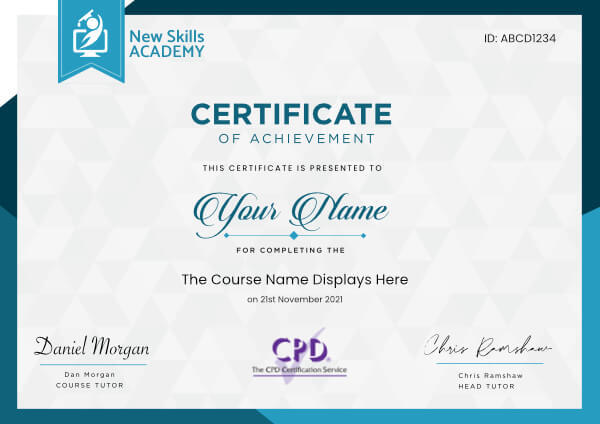
 ID: YDFT67YHJ
of achievement
This certificate is presented to
Your Name

For completing the
Computers and Internet for Beginners Certificate
on 21st November 2026
Selena Hurford
Selena Hurford
Course Tutor

Daniel Morgan
Daniel Morgan
Head of Academy
Anyone who has an interest in learning more about this subject matter is encouraged to take the course. There are no entry requirements to take the course.
The course is broken down into 10 individual modules. Each module takes between 20 and 90 minutes on average to study. Although you are free to spend as much or as little time as you feel necessary on each module, simply log in and out of the course at your convenience.
You can study the course any time you like. Simply log in and out of the web based course as often as you require. The course is compatible with all computers, tablet devices and smart phones so you can even study while on the move!
Once you have completed all 10 modules there is a multiple choice test. The questions will be on a range of topics found within the 10 modules. The test, like the course, is online and can be taken a time and location of your choosing.
The pass mark for the test is 70%.
If you don’t pass the test first time you will get further opportunities to take the test again after extra study. There are no limits to the number of times you can take the test. All test retakes are included within the price of the course.
You can either use your Visa, MasterCard, American Express, Solo cards or PayPal account to pay for the online course. Our site uses the latest SSL encryption to ensure your safety. All payments are handled securely by PayPal.
You can begin the course immediately after your payment has been received. You will create your login details during the checkout process. We will also send you an email confirming your login details.
We estimate that the course will take about 15 hours to complete in total, plus an additional 30 minutes for the end of course test.
Once you have been awarded your certificate it is valid for life. The certificate does not expire or need renewing.
Absolutely loved this course!! I am very happy with my experience in completing this online course with New Skills Academy.
It was an easy process and their website is very easy to get around. No stress over time limits. I worked through the course at my own pace, and from the comforts of my own home.
Very informative and loved the worksheet after each module which gave me a chance to really think about the work needed for the final test and gave me a chance to really understand each module.
I will definitely be putting what I have learned from the course into practice within our office.

Natalie Rogerson
I am only 5 modules in to the course but is delivering above what I expected. Content is well explained and easy to digest and I like that I can do it at my own rate and without time pressure.
I have a dace agree that covers anatomy etc and this has been an thorough refresher for me. Highly recommended. (Well priced too.)
Arran Selhi
loved this course. I feel I could start my own business if I choose to but I prefer working for a company that is already established.
I found this course easy to understand and follow and found it highly useful that I could pick it up and leave it as I wished so I could fit it in around my life.
I am currently scouring the internet and papers and phoning companies in order to find myself employment with in this field of work.
I cannot thank this company enough for enabling me to fulfil a life dream of working with animals.

Lorraine Redknapp
I use Sage 50 every day at work, but wanted a qualification on my CV to reflect this. I thought this course was well set out and very informative.
I really appreciated that the course is split into 10 modules as this made it very easy for me to stop and come back to when convenient. I found with work and 4 kids this was very helpful and with a good feature that it saved the place where I was so you could return at any time.
I must admit I was very surprised that I learnt new things and really glad I took the course. I would recommend this course to anyone thinking of using Sage for the first time or like me already use it daily. I really appreciated the fact that I used my tablet while taking the course.
I must be honest at 36 years old, this was my first course taken online, I was generally really surprised how easy to it was to order/book on line. Overall I felt this was a very positive experience for me I not only gained a qualification, I also gained confidence and have now book up 2 more courses.

Justine Pitman
I can honestly say that I have truly enjoyed learning about Microsoft Excel.
The step by step modules (36 of them!), breaking down each part of Excel was easy to understand and absorb. The explanations of each stage was handy for notes as well. The videos were helpful for directions and practise. The worksheets were helpful to put learning into action.
The test at the end was very good in covering many aspects of Excel, however I would have liked to know what I did not get correct. This would have been helpful.
However, I would gladly use a New Skills Academy course again.

Emma Mills
I wanted a qualification to back up the practical experience I had gained in my last job. I found logging in and navigating the site very easy and I really like the flexibility it gave me; being able to study around my usual working day. The topics were well laid out and explained and I understood well through relevant examples.
The test at the end was straightforward however some rewording of the multiple answers would make it more understandable. But otherwise I'm really happy with this course and I have actually learnt more than I expected.
I would not hesitate to use this company again and have in fact bought another course since.

Jenna Woollon
Computers and Internet for Beginners Course
The introduction to computers course is ideal for anyone who is looking to learn basic computer and internet skills.
This is an excellent course for students, teachers, professionals or anyone who would like to learn more about computers, the internet and social media.
Technology is evolving every day, and with a basic understanding of computers, not only can you communicate with a wider variety of people, but you can also get ahead in your personal and professional life.
As you work through this course, you will obtain an overview of basic computer and internet skills and how to stay safe while you are online. With this online course all of your course information is available whenever and wherever you require it. You are awarded the opportunity to study at a pace that is comfortable for you, which means you can access the course information 24 hours a day.
You can access the course with any internet enabled device, and you will receive complimentary online support while you train. Furthermore, you will find the course to be incredibly easy to go through thanks to the flexible modules.
Upon completion of this course and a multiple choice exam, you will be awarded your certificate. We can post your certificate to you for an additional cost, or you can download and print the certificate at home.
What You Will Learn
The introduction to computers course has been written to give students a full overview of basic computer skills, and it will put you on the fast track to success. The course covers the following:
- An introduction to computers
- Fixing mistakes and working with files
- Using your computer for daily tasks
- Keyboard shortcuts and applications
- What is the internet and basic internet skills
- How to use the internet
- How to use the Cloud
- How to use your email and social media
- How to stay safe on the internet
- Help buying computers
Benefits of the Introduction to Computers Certificate
When you work towards earning your introduction to computers certificate online, you will find a number of benefits. These include the following:
- You can study from anywhere there is a valid internet connection and you can study at a time that is convenient for you.
- You can also study at a pace that is comfortable for you. There is no time limit, so if it takes you days or months, you can still complete the course.
- The capability to study from any device including computers, mobile phones or tablets.
- There are easily manageable modules, which help to make studying an enjoyable experience.
- Friendly and convenient online support is available to help you stay on track.
- A comprehensive syllabus, which virtually guarantees that you will get the knowledge you require to work with computers in your personal and professional life.
- Improving your prospects when applying for work in your prospective industry.
- When completing the course, you will receive a certification that is respected in the industry.
- A pricing structure that is affordable.
This course includes
24/7 Student Support
End of course certification
Lifetime access to your course
Compatible with modern devices
- The different parts that make up a computer
- How to turn on and operate a computer
- How to use a mouse and keyboard
- How to use an operating system
- What to do when you make a mistake when using a computer
- How to undo and redo actions on a computer
- How to create, edit and delete files and folders
- How to locate files and folders on a computer
- How to understand the Menu Bar
- How to cut, copy, and paste
- How to undo changes
- How to adjust the settings on your computer
- What keyboard shortcuts are
- How to use keyboard shortcuts in Windows
- How to use keyboard shortcuts in Mac OS
- How to use Windows applications
- What the internet and the world wide web is
- How the internet works
- Activities that you can do on the internet
- Choosing an internet service provider and setting up internet
- How to get online with a web browser
- How to identify the parts of an internet browser
- How to use a search engine to find information
- How to navigate a website
- How to use the cloud on the internet
- How to create effective usernames and passwords
- How to use sign-up forms
- How to use bookmarks and tabs
- How to send and receive electronic mail
- How to use advanced email features
- How to manage your email inbox
- The most popular social networking sites
- How to create strong account passwords
- How to avoid common password mistakes
- How to recognise internet threats
- How to avoid spam and phishing
- The different types of computers
- What you can use your computer for
- How much you should spend on a computer
- Choosing a processor, memory and operating system
ID: YDFT67YHJ
of achievement
This certificate is presented to
Your Name
For completing the
Computers and Internet for Beginners Certificate
on 21st November 2026
Selena Hurford
Selena Hurford
Course Tutor
Daniel Morgan
Daniel Morgan
Head of Academy
Anyone who has an interest in learning more about this subject matter is encouraged to take the course. There are no entry requirements to take the course.
The course is broken down into 10 individual modules. Each module takes between 20 and 90 minutes on average to study. Although you are free to spend as much or as little time as you feel necessary on each module, simply log in and out of the course at your convenience.
You can study the course any time you like. Simply log in and out of the web based course as often as you require. The course is compatible with all computers, tablet devices and smart phones so you can even study while on the move!
Once you have completed all 10 modules there is a multiple choice test. The questions will be on a range of topics found within the 10 modules. The test, like the course, is online and can be taken a time and location of your choosing.
The pass mark for the test is 70%.
If you don’t pass the test first time you will get further opportunities to take the test again after extra study. There are no limits to the number of times you can take the test. All test retakes are included within the price of the course.
You can either use your Visa, MasterCard, American Express, Solo cards or PayPal account to pay for the online course. Our site uses the latest SSL encryption to ensure your safety. All payments are handled securely by PayPal.
You can begin the course immediately after your payment has been received. You will create your login details during the checkout process. We will also send you an email confirming your login details.
We estimate that the course will take about 15 hours to complete in total, plus an additional 30 minutes for the end of course test.
Once you have been awarded your certificate it is valid for life. The certificate does not expire or need renewing.
Absolutely loved this course!! I am very happy with my experience in completing this online course with New Skills Academy.
It was an easy process and their website is very easy to get around. No stress over time limits. I worked through the course at my own pace, and from the comforts of my own home.
Very informative and loved the worksheet after each module which gave me a chance to really think about the work needed for the final test and gave me a chance to really understand each module.
I will definitely be putting what I have learned from the course into practice within our office.
Natalie Rogerson
I am only 5 modules in to the course but is delivering above what I expected. Content is well explained and easy to digest and I like that I can do it at my own rate and without time pressure.
I have a dace agree that covers anatomy etc and this has been an thorough refresher for me. Highly recommended. (Well priced too.)
Arran Selhi
loved this course. I feel I could start my own business if I choose to but I prefer working for a company that is already established.
I found this course easy to understand and follow and found it highly useful that I could pick it up and leave it as I wished so I could fit it in around my life.
I am currently scouring the internet and papers and phoning companies in order to find myself employment with in this field of work.
I cannot thank this company enough for enabling me to fulfil a life dream of working with animals.
Lorraine Redknapp
I use Sage 50 every day at work, but wanted a qualification on my CV to reflect this. I thought this course was well set out and very informative.
I really appreciated that the course is split into 10 modules as this made it very easy for me to stop and come back to when convenient. I found with work and 4 kids this was very helpful and with a good feature that it saved the place where I was so you could return at any time.
I must admit I was very surprised that I learnt new things and really glad I took the course. I would recommend this course to anyone thinking of using Sage for the first time or like me already use it daily. I really appreciated the fact that I used my tablet while taking the course.
I must be honest at 36 years old, this was my first course taken online, I was generally really surprised how easy to it was to order/book on line. Overall I felt this was a very positive experience for me I not only gained a qualification, I also gained confidence and have now book up 2 more courses.
Justine Pitman
I can honestly say that I have truly enjoyed learning about Microsoft Excel.
The step by step modules (36 of them!), breaking down each part of Excel was easy to understand and absorb. The explanations of each stage was handy for notes as well. The videos were helpful for directions and practise. The worksheets were helpful to put learning into action.
The test at the end was very good in covering many aspects of Excel, however I would have liked to know what I did not get correct. This would have been helpful.
However, I would gladly use a New Skills Academy course again.
Emma Mills
I wanted a qualification to back up the practical experience I had gained in my last job. I found logging in and navigating the site very easy and I really like the flexibility it gave me; being able to study around my usual working day. The topics were well laid out and explained and I understood well through relevant examples.
The test at the end was straightforward however some rewording of the multiple answers would make it more understandable. But otherwise I'm really happy with this course and I have actually learnt more than I expected.
I would not hesitate to use this company again and have in fact bought another course since.
Jenna Woollon
Why you should study with us
Learn with confidence...
 RRP
€100
RRP
€100
Get a FREE Course
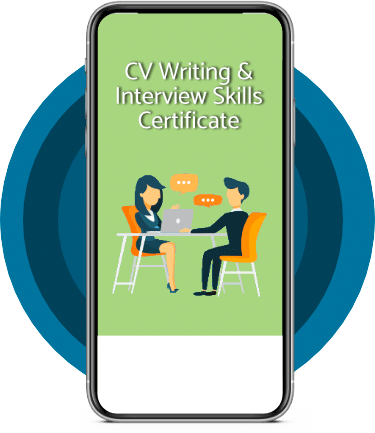
Tick this box to Sign up for our newsletter, and get access to the Interview Skills and CV Writing Certificate course for free! By signing up, you agree to our Privacy Notice & Cookie Policy and to receive marketing and related emails from academy+ brands. You can unsubscribe at any time.What our students say about us...

Very interesting and helpful course. I ve learned a lot of interesting things about make up and the tutorials were very helpful and easy to understand. I really reccomend this course for everyone who is passionate about make up and wish to develop their skills and make a career from their hobby.
Nicoleta Lucaci
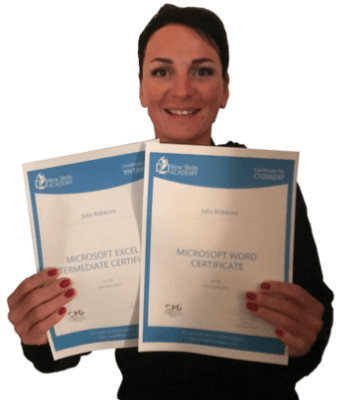
This is a great course for any level of knowledge. Very easy to navigate, great practical tasks and explanations are very clear. You can revise any module with no problem. The test wasn’t too hard if you completed every module. It may be handy to make some notes before you start. Overall I'm very happy with my choice. Thank you New skills for my New skills :)
Julia Bobkova
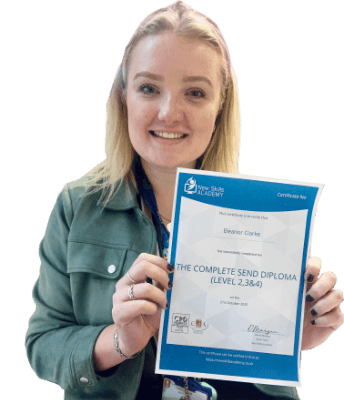
It was an eye opening course that was flexible and easy to access. I was able to complete it from the comfort of my own home whilst also having the tasks to complete which enabled me to check my knowledge. I know feel much more confident in my field of work and really enjoyed doing it.
Ellie Clarke
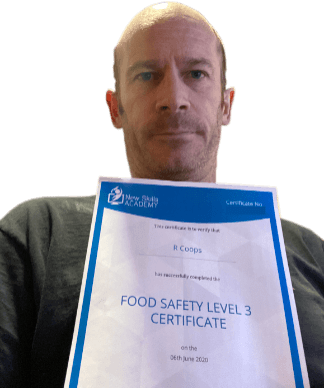
Yet another well laid out course. This is my 3rd course so far with New Skills Academy.
More than likely will be back for another one soon. This course was enjoyable to do, and I learnt a lot and passed first try. My certificate will be up on the wall soon.
Rob Coops

I found this course incredibly useful, as it provided me with practical knowledge which I can implement in my role as a Support Worker. The videos were clear and concise, and the downloadable worksheets reinforced what I had learned as I was able to put pen to paper. Overall, a fantastic course for a great price! I am looking forward to taking on my next one.
Teleisha Harley

Omg im so excited, over joyed and all the good stuff that comes to mind! Wonderful experience doing lessons with New Skills Academy. I look foward to doing more courses with them. I hope this will encourage others to come on board and refresh your minds or to learn something new, it's a win win situation. I want to thank New Skills Academy so much for making this as simple as possible for me.
Shari Anderson

Excellent course, well explained and easy to understand. The course can be done at my own pace and is available on various devices. The layout of the course was excellent and the notes options is very good. The content is perfect and well structured, making it easy to understand and follow. I will definitely be taking more courses in the future.
Luis Costa

Fantastic course! Well-presented and challenging with frequent assessments. I feel a serious sense of accomplishment having not studied for over 30 years! Videos that accompany each module are carefully thought out and informative. Am so impressed with this course, have now signed up for 3 other courses and recommending New Skills Academy to everyone!
Marva Hudson