Microsoft PowerPoint Certification


Why you should study with us
Microsoft PowerPoint Certification
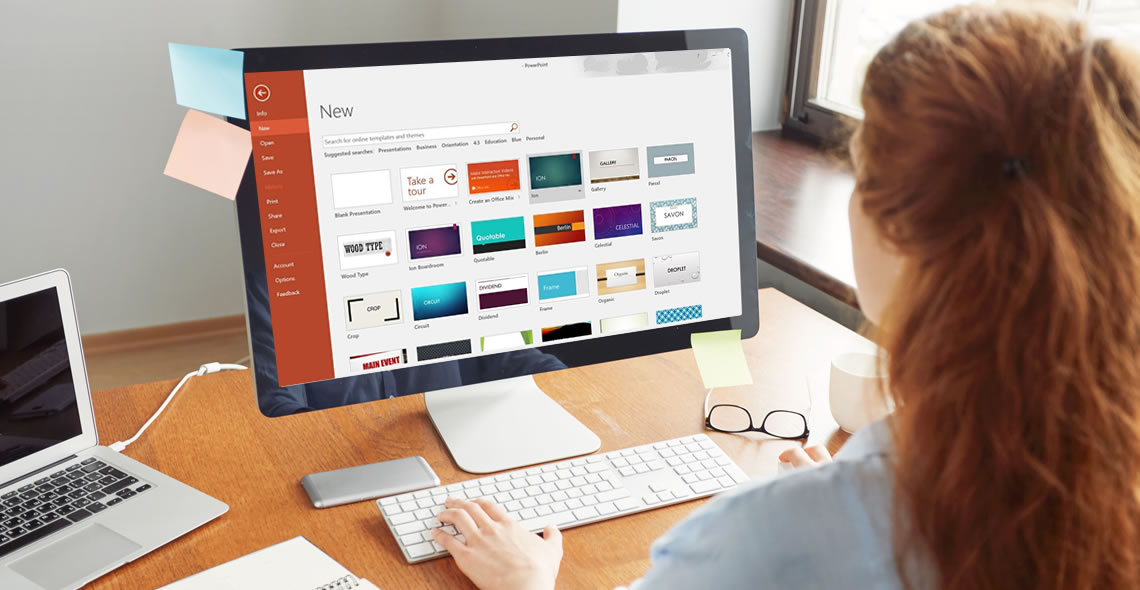
The Microsoft PowerPoint Certification is ideal for individuals who would like to learn how to create and deliver multimedia presentations.
Please note: This course uses the Microsoft 365 version of PowerPoint. Any other versions will have some differences in the functions.
This training course provides all the information you will need to begin using PowerPoint in a wide variety of careers. PowerPoint is a program within Microsoft Office that can be utilised to create professional slideshows, videos and presentations.
As you work through this course, you will gain a comprehensive overview of the different features including handouts, slide presentations and more. You will also acquire the skills necessary to add text, images and charts within your presentations.
As this is an online course, students are offered the unique opportunity to study the curriculum at their own pace. This means that course material is available 24 hours a day, enabling you to study anytime, anywhere. Many students who take the courses are even able to continue working full time, while finishing their coursework in a reasonable amount of time.
Your coursework is accessible from any Internet-enabled device, and you will receive online support while you train. Additionally, you will find the course to be incredibly easy to navigate thanks to our flexible modules. Upon course completion, you must pass a multiple-choice exam and then you will be awarded your certification. Once you receive your certification, you can print it from home or we can post it for you for a small fee.
What You Will Learn
This course has been written to provide students with the information necessary to create presentations and is designed to put you on the fast track to success. This course covers the following information:
- How to create and save a PowerPoint presentation
- How to add, delete and arrange multiple slides
- How to insert charts, captions, quotes and name cards
- Inserting and formatting text within your slides
- Working with text alignment, bullet points, line spacing and columns
- How to utilise text direction and vertical alignment
- Inserting images, shapes, charts and creating photo albums
- How to insert online and screenshot images
- How to insert tables, text boxes, headers and footers
- Using SmartArt and other formatting features
- Converting your presentations into different formats
- How to add and edit hyperlinks
- Transitions and animations
- Using spellcheck and thesaurus
- How to create and add screen recordings within your slides
- Using linking and annotation features
- Adding notes and comments
- How to use the handout and notes master tools
Benefits of the Microsoft PowerPoint Course Certification
Students enrolled in this course will benefit from the following:
- The option to study from any location with a valid internet connection, anytime that you find convenient.
- The ability to study at a pace that you find comfortable. Since there is no time limit for this course, if it takes you days or months, you will still complete your training.
- You can study from any device including a tablet, PC or mobile phone.
- Easy to manage course modules, which makes studying an enjoyable experience.
- Convenient online support is available while you train.
- Access to a comprehensive syllabus, which helps you to stay on track while learning how to design PowerPoint presentations.
- Improve your job prospects while applying for work.
- Receive a certified and recognised qualification.
- Affordable tuition.
This course includes
24/7 Student Support
End of course certification
Lifetime access to your course
Compatible with modern devices
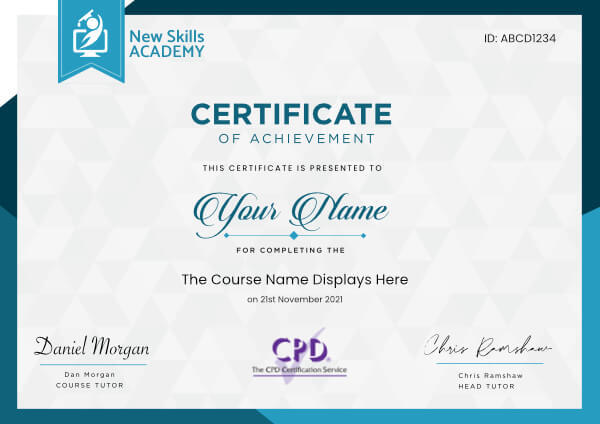
 ID: YDFT67YHJ
of achievement
This certificate is presented to
Your Name

For completing the
Microsoft PowerPoint Certification
on 21st November 2026
Selena Hurford
Selena Hurford
Course Tutor

Daniel Morgan
Daniel Morgan
Head of Academy
Anyone who has an interest in learning more about this subject matter is encouraged to take the course. There are no entry requirements to take the course.
The course is broken down into 45 individual modules. Each module takes between 20 and 90 minutes on average to study. Although you are free to spend as much or as little time as you feel necessary on each module, simply log in and out of the course at your convenience.
You can study the course any time you like. Simply log in and out of the web based course as often as you require. The course is compatible with all computers, tablet devices and smart phones so you can even study while on the move!
Once you have completed all 45 modules there is a multiple choice test. The questions will be on a range of topics found within the 45 modules. The test, like the course, is online and can be taken a time and location of your choosing.
The pass mark for the test is 70%.
If you don’t pass the test first time you will get further opportunities to take the test again after extra study. There are no limits to the number of times you can take the test. All test retakes are included within the price of the course.
You can either use your Visa, MasterCard, American Express, Solo cards or PayPal account to pay for the online course. Our site uses the latest SSL encryption to ensure your safety. All payments are handled securely by PayPal.
You can begin the course immediately after your payment has been received. You will create your login details during the checkout process. We will also send you an email confirming your login details.
We estimate that the course will take about 15 hours to complete in total, plus an additional 30 minutes for the end of course test.
Once you have been awarded your certificate it is valid for life. The certificate does not expire or need renewing.
As a PA of a very fast moving company, having many situations thrown at me day to day, I decided to take the Level 3 Admin & PA Diploma course to ensure I was up to scratch within my job role. Although I knew a lot of what was within the course, there were many topics I hadn’t had to use before but since had to.
I found the course very easy to understand and relate to. It was interesting and factual which is brilliant for anyone that would like to improve their PA skills or for someone starting out as a PA.
I enjoyed the course and feel I have bettered myself and my job role as a PA

Linzy Small
Great Course! Arrived very quickly on the same day I ordered it - Amazing Service! I can’t wait to get the certificate at the end so I can show my customers that I have under pinned my knowledge and experience by gaining a qualification that is fully accredited. It is so important to keep fully up to date with skill and learning since everything is constantly changing i.e. the law, people’s requirements and to refresh ones’ knowledge is paramount in today’s challenging job market. We need to be one step in front and a head of our competitors if we are to succeed. Thanks You for helping me achieve this.

Yvonne Watkins
I loved every aspect of this online digital marketing course. The modules were well constructed and offered up a wealth of information on the subject.
I found myself learning many new things, such as the best practices for implementing an online marketing campaign, whether through social media, email marketing, or otherwise.
Passing this course has gone a long way to helping me with my online business routine.
I sought to improve my efforts at marketing my work and now, thanks to New Skills Academy, I’ve been able to. Thank you so much to New Skills Academy for this amazing course.

Daccari Mitchell
I have really enjoyed doing the receptionist course online and I recommend anyone that wants to improve in whatever qualifications they wish to progress in to do it on New Skills Academy. It is very helpful and I have learnt a lot - My family members couldn’t believe how much I have progressed and they have actually said that they will probably do the courses online themselves. I will definitely finish the courses that I still have on here, and maybe do more courses in the future as I have learned a lot and I am willing to learn more as the resources you have on here are brilliant.

Kaoutar Benabdejlil
Excellent course. I enjoyed doing this course and I highly recommend it to everybody that start in the cleaning industry. Thank you very much.

David Sanchez
I honestly cannot recommend this course highly enough for anyone thinking of pursuing a career in Wedding Planning. The course was very obviously written by industry professionals. Course content was easy to understand, yet thorough and in depth. I also love that this course covered such a diverse range of topics including weddings from different cultures and religions, not just the standard white-dress chapel wedding. I really feel as though this course has given me a bounding head start in the wedding planning industry and I can't wait to get in there and start my own business. Highly recommend - worth every penny :)

Amy Stonehouse
Microsoft PowerPoint Certification
The Microsoft PowerPoint Certification is ideal for individuals who would like to learn how to create and deliver multimedia presentations.
Please note: This course uses the Microsoft 365 version of PowerPoint. Any other versions will have some differences in the functions.
This training course provides all the information you will need to begin using PowerPoint in a wide variety of careers. PowerPoint is a program within Microsoft Office that can be utilised to create professional slideshows, videos and presentations.
As you work through this course, you will gain a comprehensive overview of the different features including handouts, slide presentations and more. You will also acquire the skills necessary to add text, images and charts within your presentations.
As this is an online course, students are offered the unique opportunity to study the curriculum at their own pace. This means that course material is available 24 hours a day, enabling you to study anytime, anywhere. Many students who take the courses are even able to continue working full time, while finishing their coursework in a reasonable amount of time.
Your coursework is accessible from any Internet-enabled device, and you will receive online support while you train. Additionally, you will find the course to be incredibly easy to navigate thanks to our flexible modules. Upon course completion, you must pass a multiple-choice exam and then you will be awarded your certification. Once you receive your certification, you can print it from home or we can post it for you for a small fee.
What You Will Learn
This course has been written to provide students with the information necessary to create presentations and is designed to put you on the fast track to success. This course covers the following information:
- How to create and save a PowerPoint presentation
- How to add, delete and arrange multiple slides
- How to insert charts, captions, quotes and name cards
- Inserting and formatting text within your slides
- Working with text alignment, bullet points, line spacing and columns
- How to utilise text direction and vertical alignment
- Inserting images, shapes, charts and creating photo albums
- How to insert online and screenshot images
- How to insert tables, text boxes, headers and footers
- Using SmartArt and other formatting features
- Converting your presentations into different formats
- How to add and edit hyperlinks
- Transitions and animations
- Using spellcheck and thesaurus
- How to create and add screen recordings within your slides
- Using linking and annotation features
- Adding notes and comments
- How to use the handout and notes master tools
Benefits of the Microsoft PowerPoint Course Certification
Students enrolled in this course will benefit from the following:
- The option to study from any location with a valid internet connection, anytime that you find convenient.
- The ability to study at a pace that you find comfortable. Since there is no time limit for this course, if it takes you days or months, you will still complete your training.
- You can study from any device including a tablet, PC or mobile phone.
- Easy to manage course modules, which makes studying an enjoyable experience.
- Convenient online support is available while you train.
- Access to a comprehensive syllabus, which helps you to stay on track while learning how to design PowerPoint presentations.
- Improve your job prospects while applying for work.
- Receive a certified and recognised qualification.
- Affordable tuition.
This course includes
24/7 Student Support
End of course certification
Lifetime access to your course
Compatible with modern devices
ID: YDFT67YHJ
of achievement
This certificate is presented to
Your Name
For completing the
Microsoft PowerPoint Certification
on 21st November 2026
Selena Hurford
Selena Hurford
Course Tutor
Daniel Morgan
Daniel Morgan
Head of Academy
Anyone who has an interest in learning more about this subject matter is encouraged to take the course. There are no entry requirements to take the course.
The course is broken down into 45 individual modules. Each module takes between 20 and 90 minutes on average to study. Although you are free to spend as much or as little time as you feel necessary on each module, simply log in and out of the course at your convenience.
You can study the course any time you like. Simply log in and out of the web based course as often as you require. The course is compatible with all computers, tablet devices and smart phones so you can even study while on the move!
Once you have completed all 45 modules there is a multiple choice test. The questions will be on a range of topics found within the 45 modules. The test, like the course, is online and can be taken a time and location of your choosing.
The pass mark for the test is 70%.
If you don’t pass the test first time you will get further opportunities to take the test again after extra study. There are no limits to the number of times you can take the test. All test retakes are included within the price of the course.
You can either use your Visa, MasterCard, American Express, Solo cards or PayPal account to pay for the online course. Our site uses the latest SSL encryption to ensure your safety. All payments are handled securely by PayPal.
You can begin the course immediately after your payment has been received. You will create your login details during the checkout process. We will also send you an email confirming your login details.
We estimate that the course will take about 15 hours to complete in total, plus an additional 30 minutes for the end of course test.
Once you have been awarded your certificate it is valid for life. The certificate does not expire or need renewing.
As a PA of a very fast moving company, having many situations thrown at me day to day, I decided to take the Level 3 Admin & PA Diploma course to ensure I was up to scratch within my job role. Although I knew a lot of what was within the course, there were many topics I hadn’t had to use before but since had to.
I found the course very easy to understand and relate to. It was interesting and factual which is brilliant for anyone that would like to improve their PA skills or for someone starting out as a PA.
I enjoyed the course and feel I have bettered myself and my job role as a PA
Linzy Small
Great Course! Arrived very quickly on the same day I ordered it - Amazing Service! I can’t wait to get the certificate at the end so I can show my customers that I have under pinned my knowledge and experience by gaining a qualification that is fully accredited. It is so important to keep fully up to date with skill and learning since everything is constantly changing i.e. the law, people’s requirements and to refresh ones’ knowledge is paramount in today’s challenging job market. We need to be one step in front and a head of our competitors if we are to succeed. Thanks You for helping me achieve this.
Yvonne Watkins
I loved every aspect of this online digital marketing course. The modules were well constructed and offered up a wealth of information on the subject.
I found myself learning many new things, such as the best practices for implementing an online marketing campaign, whether through social media, email marketing, or otherwise.
Passing this course has gone a long way to helping me with my online business routine.
I sought to improve my efforts at marketing my work and now, thanks to New Skills Academy, I’ve been able to. Thank you so much to New Skills Academy for this amazing course.
Daccari Mitchell
I have really enjoyed doing the receptionist course online and I recommend anyone that wants to improve in whatever qualifications they wish to progress in to do it on New Skills Academy. It is very helpful and I have learnt a lot - My family members couldn’t believe how much I have progressed and they have actually said that they will probably do the courses online themselves. I will definitely finish the courses that I still have on here, and maybe do more courses in the future as I have learned a lot and I am willing to learn more as the resources you have on here are brilliant.
Kaoutar Benabdejlil
Excellent course. I enjoyed doing this course and I highly recommend it to everybody that start in the cleaning industry. Thank you very much.
David Sanchez
I honestly cannot recommend this course highly enough for anyone thinking of pursuing a career in Wedding Planning. The course was very obviously written by industry professionals. Course content was easy to understand, yet thorough and in depth. I also love that this course covered such a diverse range of topics including weddings from different cultures and religions, not just the standard white-dress chapel wedding. I really feel as though this course has given me a bounding head start in the wedding planning industry and I can't wait to get in there and start my own business. Highly recommend - worth every penny :)
Amy Stonehouse
Why you should study with us
Learn with confidence...
 RRP
€100
RRP
€100
Get a FREE Course
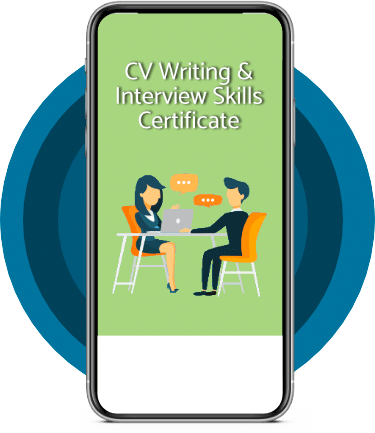
Tick this box to Sign up for our newsletter, and get access to the Interview Skills and CV Writing Certificate course for free! By signing up, you agree to our Privacy Notice & Cookie Policy and to receive marketing and related emails from academy+ brands. You can unsubscribe at any time.What our students say about us...

Omg im so excited, over joyed and all the good stuff that comes to mind! Wonderful experience doing lessons with New Skills Academy. I look foward to doing more courses with them. I hope this will encourage others to come on board and refresh your minds or to learn something new, it's a win win situation. I want to thank New Skills Academy so much for making this as simple as possible for me.
Shari Anderson

I am a doctor. This course is well organized, covering all areas of CBT. The videos and practical tips are very helpful. All the modules are arranged with good explanations and examples. Also each module consists of quick test and assignment which enables you to gain knowledge. Finally I would like to thank the New Skills Academy team.
Dr. M. Arshad
Lovely course for people who want to know the basics and of sign language. It's has helped me to get more of an understanding and will greatly benefit me in my workplace. So easy to pick up and the videos were easy to understand. Would definitely recommend to anyone.
Chloe Hambly

This course is a great way to brush up on my rusty excel skills, I recommend this course to anyone looking for something to do during lockdown, it's easy to use and talks you through each stage step by step. It has given me the confidence I need to further my career.
Georgia Darke

Fantastic course! Well-presented and challenging with frequent assessments. I feel a serious sense of accomplishment having not studied for over 30 years! Videos that accompany each module are carefully thought out and informative. Am so impressed with this course, have now signed up for 3 other courses and recommending New Skills Academy to everyone!
Marva Hudson

The course was clearly set out with helpful end of week tests which built my knowledge. Being dyslexic I found the course was set out in an easy to understand way. I was able to pass the test on my first attempt. The downloaded pdf are a useful resource that you can keep forever. Looking forward to the next course
Ross Dunsten
It was an eye opening course that was flexible and easy to access. I was able to complete it from the comfort of my own home whilst also having the tasks to complete which enabled me to check my knowledge. I know feel much more confident in my field of work and really enjoyed doing it.
Ellie Clarke
This is a great course for any level of knowledge. Very easy to navigate, great practical tasks and explanations are very clear. You can revise any module with no problem. The test wasn’t too hard if you completed every module. It may be handy to make some notes before you start. Overall I'm very happy with my choice. Thank you New skills for my New skills :)
Julia Bobkova